Brand Name Normalization Rules: 9 Proven Steps, Tested Code and the Mistakes to Avoid
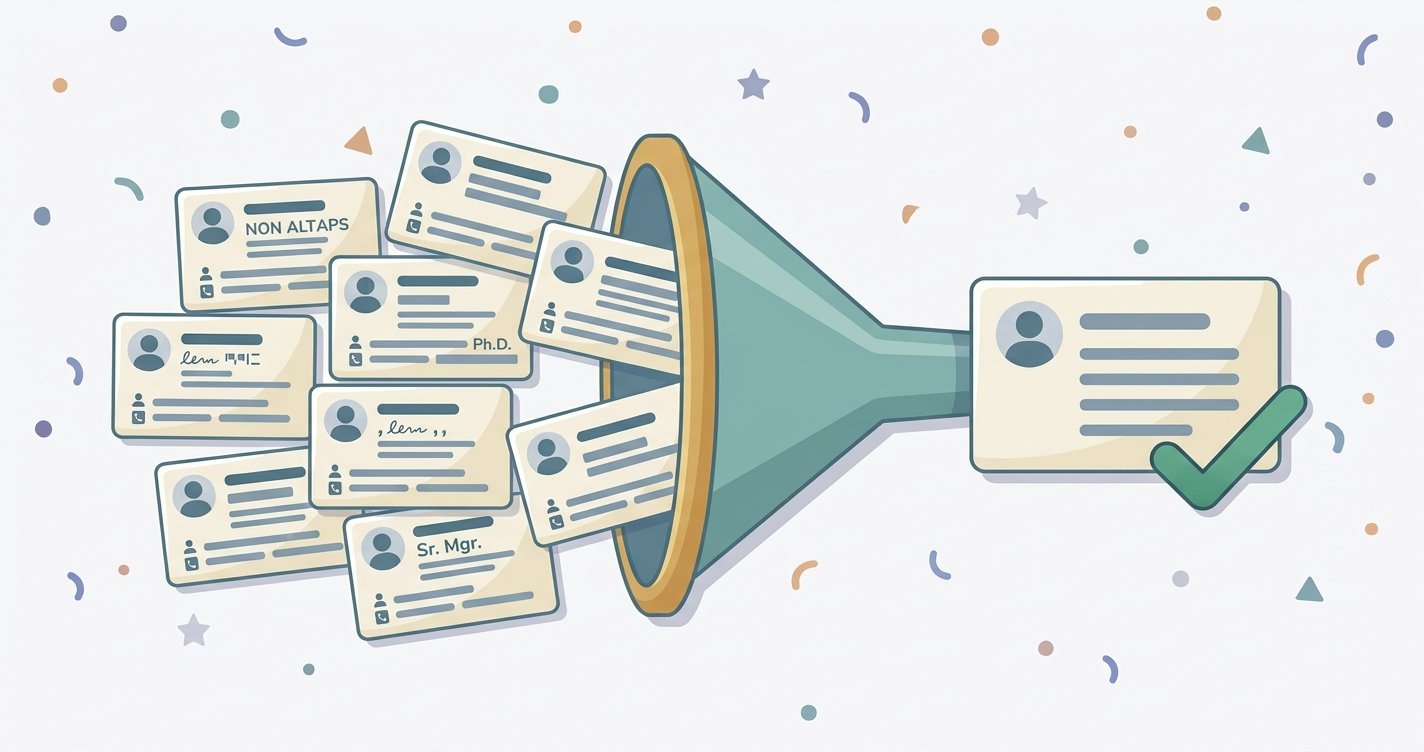
Brand Name Normalization rules decide whether “Apple, Inc.,” “APPLE INC” and “Apple Inc” count as one customer in your CRM or three, and whether your reports, deduplication and enrichment can be trusted. The idea is simple: keep the raw value, store one clean display name and build a separate match key for comparison. The details are where projects go wrong, because stripping too much merges different companies and stripping too little leaves duplicates. This guide gives nine rules in the order to apply them, a short Python example I ran and tested, the edge cases that need a person and how to measure whether your rules are working.
A note on method: I read three articles on brand name normalization rules (Databar, a DEV Community post by Kevin Leary and a Coruzant piece), Unicode’s technical report on normalization forms and the README for the open-source cleanco library. An Openprise page in the results had no relevant content. The code in this guide was run by me on the sample names shown, and nothing else was tested at scale. Figures quoted from other authors are theirs, not mine.
The Short Answer
Brand name normalization rules turn many spellings of the same company or brand into one agreed form. Good brand name normalization rules do four things in a fixed order: preserve the original, clean the text, remove noise such as legal suffixes, then look up known variants in a table a human maintains. Automate the mechanical steps, and send anything ambiguous, such as parent companies, rebrands and acronyms, to review. Never let brand name normalization rules overwrite the raw value.
Display Name vs Match Key: The Idea Behind Brand Name Normalization Rules
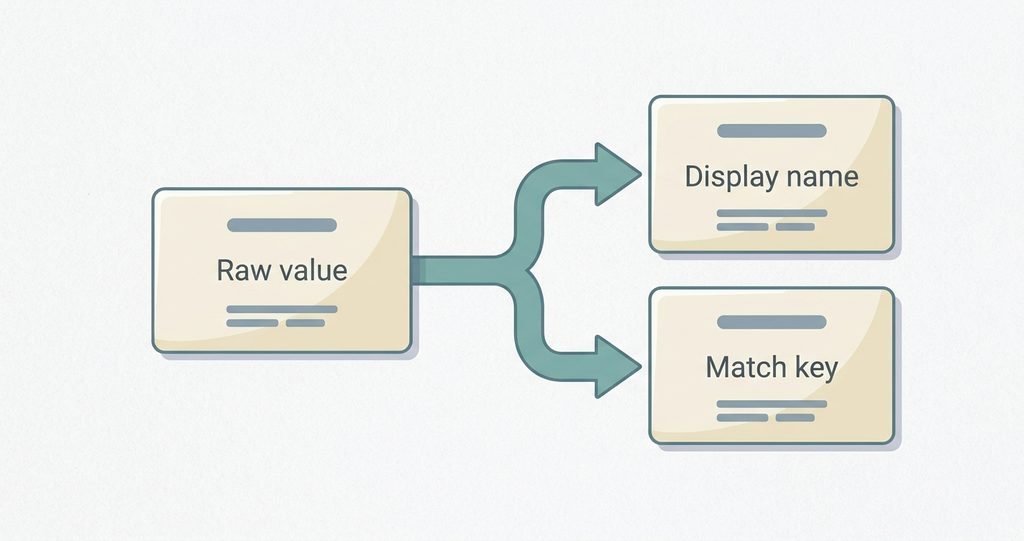
Two different outputs get mixed up in most guides to brand name normalization rules:
- Display name: what people see, such as “Johnson & Johnson.” It keeps readable casing and meaningful punctuation.
- Match key: a stripped, lowercase string used only to compare records, such as “johnson and johnson.” Users never see it.
Databar makes a similar split, suggesting title case for display and lowercase for matching. Keeping both lets you be aggressive with the key without damaging what appears on screen.
9 Brand Name Normalization Rules, in Order
1. Keep the Raw Value
Store the original text in its own field and never overwrite it. Databar warns against destroying meaningful information, and a raw field is how you undo a bad rule later. Add the source system and date if you can.
2. Normalize Unicode First
Names arrive with full-width letters, odd spaces and accents from different systems. Unicode defines four normalization forms: NFD and NFC (canonical) and NFKD and NFKC (compatibility). Unicode’s report shows that “Henry Ⅳ,” written with the Roman numeral character, is unchanged by NFC but becomes “Henry IV” under NFKC. The same report warns that the compatibility forms “must not be blindly applied” to arbitrary text, so use NFKC for the match key, not for the display name.
3. Case-Fold and Trim
Lowercase the match key (casefold handles more languages than lower) and collapse repeated spaces. Keep a short list of brands with intentional casing, such as eBay, for the display name. Databar’s guidance is the same: canonical casing for display and lowercase for matching.
4. Clean Punctuation Deliberately
Remove periods and commas, turn hyphens, slashes and asterisks into spaces and choose one rule for ampersands. I convert “&” to “and” in the key so “Johnson & Johnson” matches “Johnson and Johnson.” The catch is short names like “H&M,” which becomes “h and m.” That is fine for a match key as long as the display name stays “H&M.” Databar’s article is inconsistent here, standardizing ampersands one way in one section and saying to pick one convention in another, so write your choice into your standard.
5. Strip Legal Suffixes, Longest First
Terms like Inc, LLC, Ltd, Corp, GmbH and Co add noise. In brand name normalization rules, two technical points matter, both raised by Kevin Leary: remove the longest terms first (so “limited liability company” is not broken by removing “company” first) and use word boundaries (so removing “Co” from “Ford Motor Co” doesn’t turn “Costco” into “stco”). Names with stacked suffixes, such as “Acme Holdings Co. Ltd,” need the step repeated, which the cleanco README also notes. Keep an exception list for names where the suffix is part of how people know the brand.
6. Handle “The” and Other Stop Words With a Rule
Dropping a leading “The” turns “The Home Depot” into “Home Depot.” Databar calls “The New York Times” a judgment call, and I agree: decide whether the match key drops it and whether the display name keeps it, and write that down. Leary also lists generic words such as “Group,” “Holdings,” “Global” and “Technologies” as noise for matching, but removing them is riskier, since it can merge unrelated companies.
7. Treat Abbreviations and Acronyms With a Lookup, Not a Rule
Don’t expand IBM, AT&T or 3M automatically. Databar suggests standardizing abbreviations like “Mfg” but preserving known acronyms. Leary points out that “IBM” and “International Business Machines” don’t share a phonetic code, so no text rule will connect them. A lookup table is the only reliable fix.
8. Keep an Alias Table for Rebrands and Subsidiaries
“Facebook” and “Meta” are one company, and “Alphabet” and “Google” are related but separate. Leary’s article gives both as cases text rules can’t solve. Make a table, maintained by a person, that maps match keys to a canonical name, and decide up front whether you roll subsidiaries up to a parent, keep them separate or link them. Databar lists those three options.
9. Measure, Log and Review
Log how each decision was made (rule, alias or human) and a confidence level so you can re-run only the weak decisions later, an approach Leary describes with an alias table of raw name, canonical name, method, confidence and date. Send low-confidence matches and high-value accounts to a person. Re-run your brand name normalization rules whenever the data source changes, since Databar and Coruzant both warn against treating normalization as a one-time cleanup.
Tested Code for Brand Name Normalization Rules: A Match-Key Function
This is a minimal Python version of rules 2 to 8. I ran it on the names in the table below.
python
import re
import unicodedata

# Longest terms first, so "limited liability company" is tried before "company".
LEGAL = sorted(
    ["limited liability company", "incorporated", "corporation", "company",
     "limited", "gmbh", "llc", "inc", "corp", "ltd", "plc", "sas", "co"],
    key=len, reverse=True,
)
LEGAL_END = re.compile(r"\b(?:" + "|".join(map(re.escape, LEGAL)) + r")$")

# Names where a "suffix" is really part of the brand or needs a human decision.
KEEP_AS_IS = {"hp inc"}

# Known variants and rebrands, decided by a person, keyed by match key.
ALIASES = {"facebook": "meta", "apple computer": "apple"}

def strip_accents(s: str) -> str:
    d = unicodedata.normalize("NFKD", s)
    return "".join(c for c in d if not unicodedata.combining(c))

def match_key(name: str, fold_accents: bool = False) -> str:
    s = unicodedata.normalize("NFKC", name).casefold().strip()
    if fold_accents:
        s = strip_accents(s)
    s = s.replace("&", " and ")
    s = re.sub(r"[.,'\"]", "", s)       # periods, commas, quotes
    s = re.sub(r"[-_/*]+", " ", s)      # separators become spaces
    s = re.sub(r"\s+", " ", s).strip()
    s = re.sub(r"^the\s+", "", s)
    if s not in KEEP_AS_IS:
        while True:                     # handles stacked suffixes
            t = LEGAL_END.sub("", s).strip()
            if t == s:
                break
            s = t
return ALIASES.get(s, s)| Input | Match key | What it shows |
|---|---|---|
| Apple, Inc. | apple | Punctuation and suffix removed |
| APPLE INC | apple | Case folded |
| The Home Depot | home depot | Leading “The” dropped |
| Ford Motor Co. | ford motor | Suffix removed at a word boundary |
| Costco | costco | “Co” inside a word is untouched |
| Johnson & Johnson / Johnson and Johnson | johnson and johnson | Both converge |
| 3M Company | 3m | Brand kept, suffix removed |
| HP Inc. | hp inc | Exception list keeps the suffix |
| Facebook, Inc. | meta | Alias table, not a text rule |
| Acme Holdings Co. Ltd | acme holdings | Stacked suffixes handled |
| Wal-Mart Stores, Inc. | wal mart stores | |
| WAL*MART | wal mart | Does not match the line above |
The last two rows are the honest limit. Rules alone don’t connect “Wal-Mart Stores” with “WAL*MART,” so a real pipeline needs an alias entry, a fuzzy-matching step or a person. Accent folding is optional because it changes names: with fold_accents=True, “Café Nero” and “Cafe Nero” share a key, but that may be wrong for languages where accents matter.
For production use, the open-source cleanco library, released under the MIT license, provides a basename() function that strips legal suffixes using a term database based on Wikipedia’s “Types of Business Entity” article. Its README notes that some suffixes may be incorrect or missing, and that country guesses can be ambiguous, since “Ltd” could mean several countries. Test any library on your own data first.
Where Fuzzy and Phonetic Matching Fit
Brand name normalization rules handle spelling noise. Phonetic or fuzzy matching helps with typos and variants, but it creates false merges. Leary lists “Delta Airlines” versus “Delta Dental” and “Apple” versus “Apple Valley Dental” as examples of aggressive matching going wrong. On his own 20,001-record sample, phonetic keys cut distinct values to 10,398, about half, and he reports about 12 minutes for 2.3 million names. Those are one author’s numbers on one dataset, so treat them as an illustration, not a benchmark. Use fuzzy matching to suggest candidates, and require review before merging.
6 Brand Name Normalization Rules Mistakes to Avoid
- Overwriting the original. You lose the audit trail.
- Stripping too much. Removing “Group” or “Global” can merge unrelated companies.
- Confusing brand names with legal names. Keep a separate field for the registered name when contracts or compliance need it.
- Using one rule for every country. Suffixes and accents differ by region.
- Trusting fuzzy matches blindly. Review low-confidence merges.
- Cleaning once. New imports reintroduce messy names, so normalize at ingestion.
What the Top Articles on Brand Name Normalization Rules Get Right and Where They Fall Short
| Article | Strength | Gap |
|---|---|---|
| Databar (Feb 2026, “Databar team”) | Clear 7-rule order, display vs matching split, review guidance | No code or measurement; frequent promotion of its own product; inconsistent on ampersands |
| DEV Community (Kevin Leary) | Detailed order of operations, phonetic keys, scale and edge cases | Developer-focused and heavy; figures are the author’s own |
| Coruzant (Jan 2026, updated May 2026) | Names common mistakes and tools | Percent gains and case-study results with no cited source; examples that contradict its own rules; no code |
This guide differs by combining brand name normalization rules, a tested example, the limits of that example and the review step.
What Is Verified and What Is Not
| Claim | Status |
|---|---|
| Unicode defines NFC, NFD, NFKC and NFKD | Confirmed in Unicode’s technical report |
| NFKC turns “Henry Ⅳ” into “Henry IV”; compatibility forms shouldn’t be applied blindly | Confirmed in the same report |
cleanco strips legal suffixes and has coverage gaps | Per its README |
| The code gives the outputs in the table | I ran it on these names |
| Phonetic keys halve distinct values and take 12 minutes for 2.3M names | One author’s reported result; not independently checked |
| Normalization improves analytics by a stated percentage | Claimed by Coruzant without a source; I did not repeat the figures |
| One set of brand name normalization rules fits every dataset | No; test on your own data |
How to Roll Out Brand Name Normalization Rules in Your CRM
- Audit first. List the most common variants, suffixes and casing problems in your data.
- Write the standard. Put your choices on ampersands, “The,” suffixes and accents in a short document.
- Build the key, then the alias table. Start with the code above and add aliases for your top accounts.
- Test on a sample. Check that known pairs match and that known different companies don’t.
- Run at ingestion. Apply it to forms, imports and integrations, not only in one-off cleanups.
- Review a sample every month. Track false merges and missed matches.
- Evaluate tools by what they show you. Ask for the rules, the logs and a trial on your data. Our guides to hrmtaila and aicot show how to question vague software claims.
Frequently Asked Questions
What are brand name normalization rules? Rules that turn variants of a company or brand name into one consistent form, usually by cleaning text, removing legal suffixes and mapping known aliases.
Do brand name normalization rules say to remove Inc and LLC? For matching, usually yes. For display or legal records, keep the full name in a separate field.
In brand name normalization rules, what is the difference between a display name and a match key? The display name is what people read. The match key is a cleaned string used only to compare records.
How do brand name normalization rules handle “The”? Decide a rule, such as dropping it in the match key, and keep exceptions such as “The New York Times” in your display name.
How do I match “IBM” and “International Business Machines”? Use an alias table. No text rule will connect them.
Should brand name normalization rules include fuzzy matching? As a suggestion engine, yes. Merge automatically only at high confidence, because it can combine different companies.
Should brand name normalization rules remove accents? Only in the match key and only if your data needs it. It can change meaning in some languages.
Can a tool apply brand name normalization rules for me? Tools help, but test them on your own data and check what they log and let you review.
Bottom Line
brand name normalization rules work best as a fixed order of steps: keep the raw value, normalize Unicode, clean text, strip suffixes, apply human-made aliases and review what the rules can’t settle. The code above handles the mechanical part and shows where it stops. Start with a sample of your own data, write your choices down and measure false merges before you trust any automation.