Zuhio Keyword Count Checker: What It Does, What It Can’t, and 5 Checks Worth Running
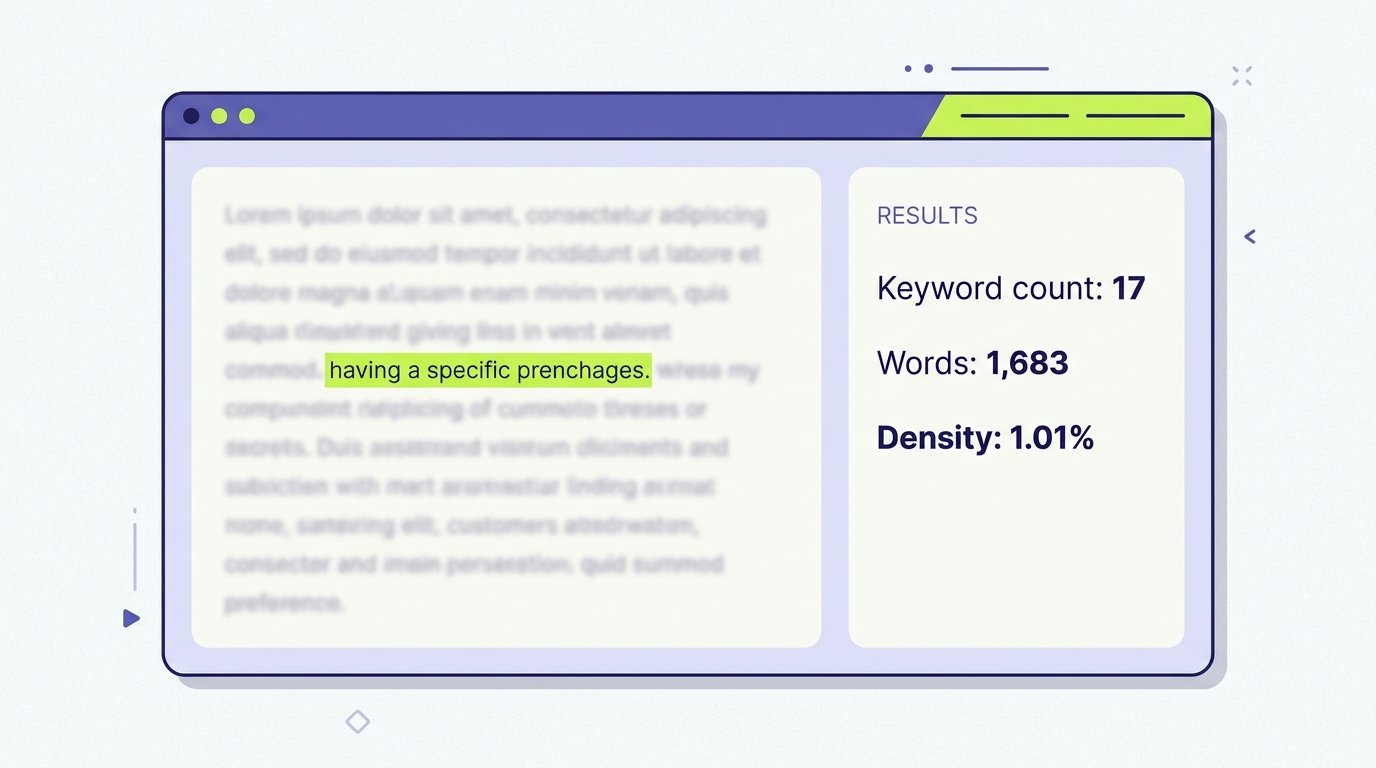
Zuhio keyword count checker, in one sentence: you paste your text, type a phrase, and it tells you how many times that phrase appears and what percentage of your words it makes up. That’s it. Everything else people write about it is either a feature it doesn’t have or advice that applies to any counter.
This guide explains what the tool is said to do, what could and couldn’t be verified, how to use it step by step, and the five checks that actually matter before you publish.
A note on method: I could not open zuhio.com from my research tools, and none of the review pages I read links directly to the tool. The description below comes from five third-party reviews, which I cross-checked against each other, plus Ahrefs’ explanation of keyword density. I flag anything that rests on one source.
The Short Answer
The Zuhio keyword count checker is described as a free, browser-based tool, on the zuhio.com site, that counts how many times a keyword or phrase appears in pasted text. Reviews say it reports the keyword count, the total word count and a density percentage, with no sign-up. It does not analyze search intent, competitors, backlinks or rankings. It is a simple counter, not an SEO platform.
What the Zuhio Keyword Count Checker Does
Across the reviews, the described features are consistent:
- Keyword or phrase count: how often your target term appears
- Total word count: the length of the pasted text
- Density percentage: the keyword’s share of total words
- Case-insensitive matching: one review says capitalization doesn’t change the count
- Multi-word phrases: one review’s FAQ says phrases are supported
- No account: reviews say you don’t need to register
It works on pasted text only. One review points out it can’t pull in a live URL, so you have to copy the content yourself.
What I Could and Couldn’t Verify About the Zuhio Keyword Count Checker
This part matters, because the reviews sound more certain than they are.
- The tool’s address. Reviews place it on zuhio.com, but none gives a direct link to the checker page, and one tells readers to verify the official domain, privacy policy and contact details before using it. I couldn’t open the site to confirm any of it.
- “Free.” Three reviews call it free. I found no pricing page to confirm that.
- Reliability. One review reports that the tool sometimes returned no results, but it names no sources, dates or testing method.
- Privacy. Two reviews don’t address how pasted text is stored or processed, and a third advises against pasting confidential or unpublished text.
- The company. One review says little public information exists about who is behind the tool.
- Review quality. Some reviews attribute density guidelines to unnamed “SEO studies,” cite news coverage without links, or give an author name that differs between byline and bio. They don’t show that the authors tested the tool itself.
Put simply, the description of the tool is plausible and consistent, but the claims about reliability, price and safety are unconfirmed. Test it yourself on a sample paragraph before you trust it.
How to Use the Zuhio Keyword Count Checker, Step by Step
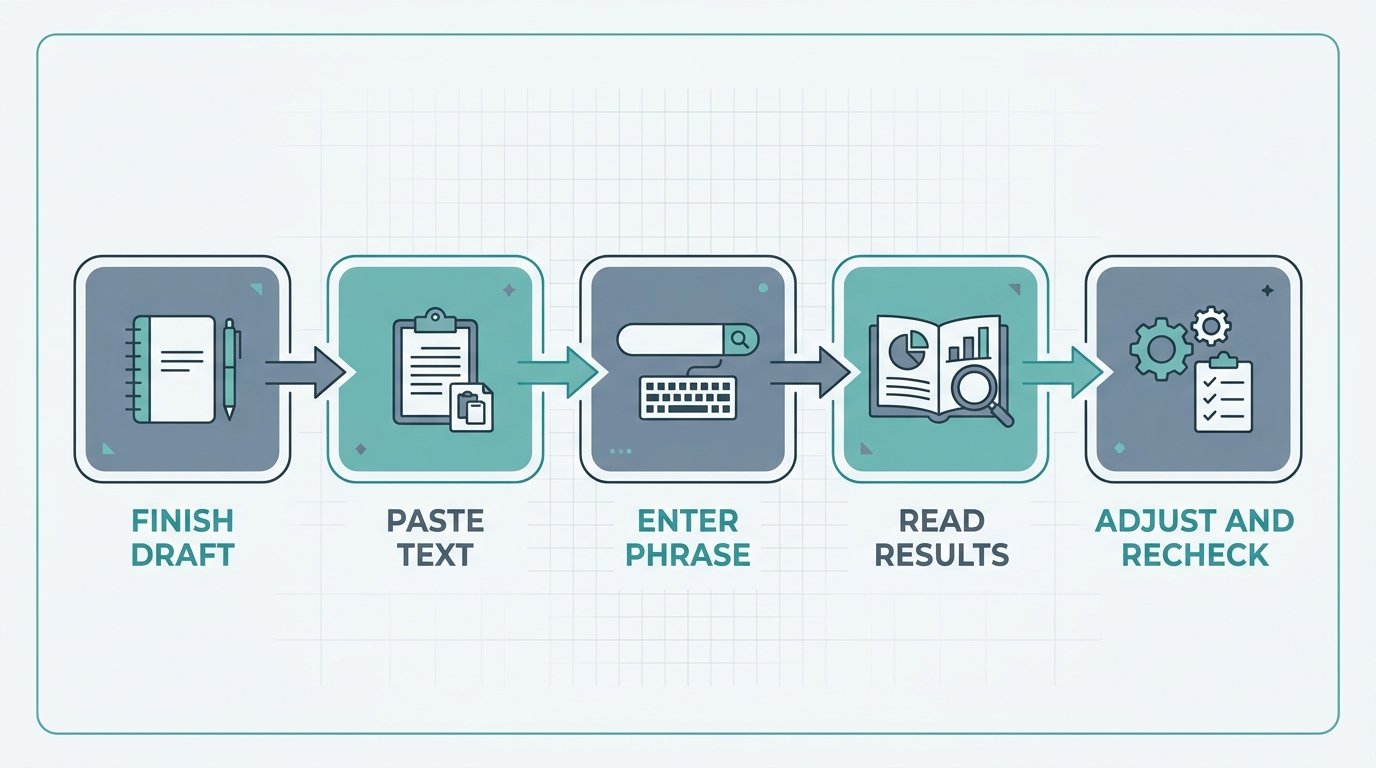
Based on what the reviews describe:
- Finish your draft first. Counting a half-written article tells you little.
- Open the tool on zuhio.com and paste your full text into the box.
- Enter your exact target phrase. Use the same wording you want to rank for.
- Run the check and read the keyword count, total words and density.
- Adjust and recheck. Edit the draft, paste it again and compare.
A worked example: if your article is 1,500 words and your phrase appears 15 times, the density is 15 divided by 1,500, times 100, which equals 1%. Ahrefs gives the same formula: occurrences divided by total word count, multiplied by 100, as explained in its guide to keyword density.
What the Zuhio Keyword Count Checker Doesn’t Do
The reviews agree that this is a narrow tool. It does not:
- check headings, the title tag or the meta description
- analyze search intent or competitors
- suggest related keywords or variations
- measure readability or content quality
- track rankings or backlinks
- guarantee any SEO result
For those jobs you need a fuller SEO tool. For a look at how an SEO provider should be evaluated, see our Glorvix review, and for a writing tool that checks style rather than counts, see GrammarVista.com.
Is Keyword Density a Ranking Factor?
This is where reviews of the Zuhio keyword count checker often overreach. Ahrefs says keyword density is no longer considered a ranking factor, because modern search systems can work out what a page is about and how well it matches search intent. It also quotes Google’s Matt Cutts (“I would love it if people could stop obsessing about keyword density”) and John Mueller (“Make sure your content is written in a natural way”).
At the same time, Google’s spam policies treat keyword stuffing, meaning filling a page with repeated terms or numbers to manipulate rankings, as spam, as described in Google’s spam policies. So the practical position is:
- There is no magic percentage. No source I reviewed shows Google using a target density.
- Extreme repetition is risky. Unnatural repetition hurts readers and can hurt rankings.
- Plugins still score it. Tools such as Rank Math report a density figure and recommend a range, commonly around 1% to 1.5%, so many writers use that as a sanity check.
One review calls anything over 3% a danger zone, and Ahrefs suggests reviewing the text if density passes about 2% to make sure it reads naturally. Both are rules of thumb, not published Google thresholds.
5 Checks to Run With Any Keyword Counter
The Zuhio keyword count checker is only useful if you read its numbers sensibly. These five checks work with it or any other counter.
1. Check the exact phrase. “Keyword count checker” and “keyword counter tool” are different strings. Count the phrase you’re actually targeting, and note that close variations don’t add to the exact-match count.
2. Check the total word count. Density depends on length. Ten uses in 500 words is 2%, while ten uses in 1,500 words is 0.67%.
3. Check the density against a range, not a target. Use roughly 1% as a rough sanity check, and don’t force it. If reaching it makes the writing awkward, stop.
4. Check placement. Count alone says nothing about where the phrase sits. Make sure it appears naturally in the title, the opening paragraph, a heading or two, and the conclusion, as the reviews also suggest.
5. Read it aloud. If a sentence sounds like it was written for a robot, rewrite it. This is the one check no tool can do for you.
Manual Ways to Count a Keyword
If the Zuhio keyword count checker is slow or returns nothing, you can count without it:
- Browser find (Ctrl+F or Cmd+F): open your draft preview and search the phrase. The browser shows the number of matches.
- Google Docs or Word: use Find to see the match count in the document.
- Spreadsheet formula: paste your text in cell A1 and your phrase in B1. This formula returns the exact-phrase count:
=(LEN(A1)-LEN(SUBSTITUTE(LOWER(A1),LOWER(B1),"")))/LEN(B1) - Your SEO plugin: Rank Math and similar plugins show a density score inside the editor.
Divide the count by your word count and multiply by 100 to get density.
Privacy: What to Paste Into the Zuhio Keyword Count Checker
Because the tool’s handling of pasted text isn’t documented in the sources I read:
- Don’t paste unpublished client work, confidential documents or anything with personal data.
- Check for a privacy policy on the site before you use it regularly.
- When in doubt, use the manual methods above, which keep your text on your own device.
How the Zuhio Keyword Count Checker Compares With Other Tools
Plenty of free keyword density checkers exist, including SE Ranking’s free tool and the one from Search Engine Land. Most do the same basic job: count words and phrases. What separates tools is whether they let you check multi-word phrases, handle large texts, show a word-frequency table and explain their method. If you want a second opinion on the numbers, run the same text through two tools and see whether they agree.
Frequently Asked Questions
What is the Zuhio keyword count checker? A free, paste-and-check tool described by reviewers as counting how often a keyword appears in your text and showing its percentage of total words.
Is the Zuhio keyword count checker free? Three reviews say so, but I couldn’t confirm it on the site, so check before relying on it.
Does it work on a URL? One review says it works on pasted text only, not live URLs.
What keyword density is best? There is no official figure. Ahrefs says there’s no optimal density. Many writers aim near 1% as a rough check and stay natural.
Can keyword density hurt my rankings? Extreme, unnatural repetition can, because Google treats keyword stuffing as spam.
Is the Zuhio keyword count checker safe? I couldn’t verify its privacy practices, so avoid pasting confidential text.
Do I need the Zuhio keyword count checker at all? Not strictly. Ctrl+F and a quick calculation do the same job, but a counter is faster for long drafts.
Bottom Line
The Zuhio keyword count checker appears to be a simple, free counter for pasted text, but the claims about its reliability, price and privacy are unconfirmed, so test it first and avoid pasting sensitive drafts. Use its numbers as a rough sanity check, not a target: count the exact phrase, compare density against a sensible range, check where the keyword sits, and read the text aloud. The best keyword density is the one that lets your writing sound natural.