Tikcotech: What It Really Is — and the Version That Does Not Exist
You searched for “tikcotech” and got three different answers. One page calls it a friendly tech blog. Another says it is an all-in-one Android app for music, gaming, and app management. A third describes it as an enterprise tech brand with a smart home controller, a fitness band, and a file-sharing platform.
They are not describing the same thing. That is the real story here.
The short version is this: the name “tikcotech” is used by three different things at the same time. There is a real tech-tips blog at tikcotech.com. There is a separate all-in-one Android app whose official site is tikcotech.app. And there is a fictional enterprise brand that only exists in AI-written review articles. Once you know which one you are looking at, everything else falls into place.
The Short Answer
Tikcotech.com is a real, working blog that publishes plain-language tech tips in English and Spanish. It is free to read, it asks you for no account, and it sells nothing.
The Tikcotech app is a real download too, but it is a different thing from the blog. It is an all-in-one Android app with a music player, a game emulator, and app-management tools, and it is distributed as an APK file from its own site, tikcotech.app — not from the Google Play Store.
The enterprise version — the one with the Hub smart home controller, the Flow productivity app, the Fitband wearable, and the Sync file-sharing platform — is not real. No such products exist to buy, and nothing on the real tikcotech.com website mentions them. If an article describes Tikcotech as a hardware company, you are reading content-farm fiction.
The Three Versions of Tikcotech
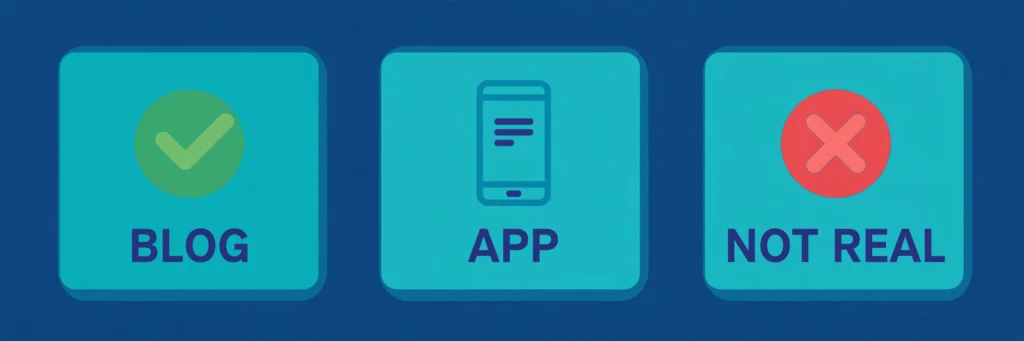
| Version | What it is | Where you find it | Is it real? |
|---|---|---|---|
| Tikcotech.com | A tech-tips blog | tikcotech.com | Yes — a live blog |
| The Tikcotech app | An all-in-one Android app | tikcotech.app (APK download) | Yes — but APK-only, with real risks |
| The enterprise brand | Hub, Flow, Fitband, Sync | Review articles only | No — invented by content farms |
Keep this table in mind while you read. Almost every confusing search result about Tikcotech comes from mixing up these three.
Tikcotech.com: The Real Blog
Let us start with the one thing you can verify in thirty seconds.
Tikcotech.com is a genuine tech-tips blog. According to a detailed analysis of the site, it was founded in 2022 with a simple goal: help everyday people get more out of their devices. The site’s tagline is in Spanish — “Los mejores consejos y trucos para la tecnología” — which means “the best tips and tricks for technology”. That tells you something important right away: this is a bilingual platform built for Spanish- and English-speaking readers who want practical, no-jargon tech guidance.
The site runs on WordPress and uses a valid SSL certificate. A security scanner, Gridinsoft, gave it a trust score of 95 out of 100, according to that same analysis, based on its domain age, clean hosting, and steady traffic. Its global rank sits around 209,000 — not a major platform, but a real one with a real audience.
I opened one of its articles directly — a guide to security tech tricks — and it is exactly what it claims to be: a plain, practical how-to piece. No signup wall, no payment ask, no download button. You just read.
The blog breaks its content into four main categories:
- Phone Hacks. Practical, everyday guides — how to save battery, speed up your Android, and find hidden features. This is the most popular section.
- AI tools. Beginner-friendly guides to tools like PicWish, an AI photo editor, and broader explainers about how AI is changing apps and workflows.
- Social media downloaders. Guides on saving videos from TikTok, Instagram, and similar platforms. These are often written in Spanish and get the most engagement.
- Tech Tricks. General app reviews and how-to guides — music player apps, smart TV remote apps, and parental-control tools like FlashGet Kids and Family Link.
The content is written for normal people, not developers. If you are a casual phone user who wants to learn a few things, the blog delivers that without wasting your time.
One thing worth noting: the blog does not clearly name an owner or an editorial team on the pages I checked. That is common for small blogs, and it is not a red flag on its own — but it does mean you should treat the blog as a source of tips, not as an authority you quote without checking.
The Tikcotech App: An All-in-One Android Toolbox
Separately from the blog, there is a Tikcotech-branded Android app. This is not the same as the tikcotech.com blog, and the two should not be confused. The app is described on a site called tikcotech.app and distributed through third-party APK mirrors — not through the Google Play Store.
The idea behind the app is simple: replace several separate apps with one. Instead of a music app, an emulator, a cleaner, and a file manager, you install one toolbox. On paper, that is a reasonable pitch. Plenty of people genuinely want fewer apps cluttering their phone.
Here is what the app claims to do, based on its official site and the reviews that describe it:
- Music player. Offline playback, custom playlists, equalizer settings, and support for formats including MP3 and FLAC.
- Android game emulator. Play retro games with save states and customizable controls, including on a bigger screen.
- App management. Organize apps, clean junk files, back up data, and free up storage.
- File sync and automation. Integrate photos, documents, music, and video in one place, sync files to cloud services, and set up custom workflows and reminders.
- Tool integrations. The official site says the app connects with tools like Google Drive, Slack, and Trello.
The official site lists its Android requirements as Android 5.0 or newer, a quad-core 1.5 GHz processor, 2 GB of RAM, and 50 MB of free space. It also lists iOS requirements (iOS 12.0 or later) and a “Download iOS” button — but independent guides say the iPhone version is still “coming soon”. That contradiction is worth knowing about: the site’s own pages and the independent reviews do not agree on iOS, so do not plan around an iPhone version until you can see a live release.
The official site says the app is free to use. Its FAQ, as described by one hands-on reviewer, says some premium features may require a subscription or a one-time purchase — so do not assume a third-party “Mod APK Premium” package is the same thing as an official upgrade.
The Enterprise Brand That Does Not Exist
This is the part that genuinely confuses search results for everyone.
If you have spent time searching for Tikcotech, you have almost certainly landed on articles describing it as a “comprehensive technological ecosystem” merging AI, machine learning, IoT, blockchain, banking systems, and smart city applications. One widely circulated article describes four flagship products:
- Hub, a smart home controller that manages lights, locks, and appliances through voice commands.
- Flow, a productivity app with drag-and-drop task management and calendar integration.
- Fitband, a waterproof fitness wearable that tracks steps, sleep, and heart rate, with seven days of battery life.
- Sync, a secure file-sharing platform with unlimited uploads and real-time collaboration.
The same article lists prices from $49 for the Fitband to $299 for the Hub, Sync subscriptions at $9.99 a month for individuals and $29.99 for small teams, a two-year hardware warranty, and glowing testimonials from users named Marco, Jenna, and Karen.
None of it is real.
There are no banking modules on tikcotech.com. No IoT dashboards. No enterprise SaaS product. No AI-powered business automation suite. No store where you can buy a Hub or a Fitband, no company registration behind these products, and no way to order one. The site publishes tech tips in Spanish and English. That is it.
What you are looking at is a pattern that shows up around many search terms: AI-generated content farms writing fictional product descriptions to rank for a keyword. The articles sound plausible, they use real-sounding feature names and prices, and they cite each other in circles. They are not reporting on a real product.
So if you are reading an article that describes Tikcotech as a competitor to enterprise software platforms or a B2B AI tool, close the tab. You are reading fabricated content. The honest version of the story is much smaller — and much more useful.
Is the Tikcotech App Safe?
This is the question that matters most if you are thinking about downloading the app, so let us answer it carefully.
The app is not on the Google Play Store. That is the first and most important flag. I checked for a Play Store listing through AppBrain, which mirrors Google Play listings — the search returns only similarly named apps like Tiktek and TicTacToe, not Tikcotech. Borkwood Blog and the myshengong analysis agree the app is not on Google Play or the Apple App Store yet. The Play Store exists partly to filter out apps with known malware or deceptive behavior. Apps distributed only through APK sites bypass that filter entirely, so you are relying on the APK site itself to have done the vetting — and most of them have not.
Note the contradiction here too: some review sites still give Play Store install steps (“Go to the Google Play Store, search for tikcotech, click Install”). Those steps do not match what is actually there. If you follow them, you will not find the app.
Modified “Mod APK Premium” versions are the biggest risk. A modified version of the app circulates widely, promising to unlock all premium features for free — unlimited downloads, no ads, enhanced emulation. Modified APKs can be bundled with malware, spyware, or code that quietly harvests your personal data. Security experts flag the large attack surface of modded APKs, and one safety review notes that Scam Detector flags dubious versions of Tikcotech with very low trust scores. There is also a legal grey area: mod APKs that unlock paid features without payment bypass licensing agreements.
There is no named developer behind the app. No company registration. No verifiable support team. The tikcotech.app site lists a 2025 copyright, an email address (support@tikcotech.app), and a street address in Torrance, California, as printed on the site — but no company name, no founder, and no physical office you can verify. That matters because if something goes wrong, there is nobody to contact.
The security claims are the site’s own claims. The official site says the app uses end-to-end encryption and layered authentication. That may be true, but no independent security audit has been published to confirm it, and the same site’s pages also make claims — like the iOS download — that independent reviewers contradict. Treat the encryption claim as a claim, not a verified fact.
None of this means the official APK is definitely harmful. Some users report positive experiences with it. But it does mean you are downloading software without the vetting, developer transparency, or safety guarantees that an app store provides. That is a real trade-off, and you should weigh it before you install anything.
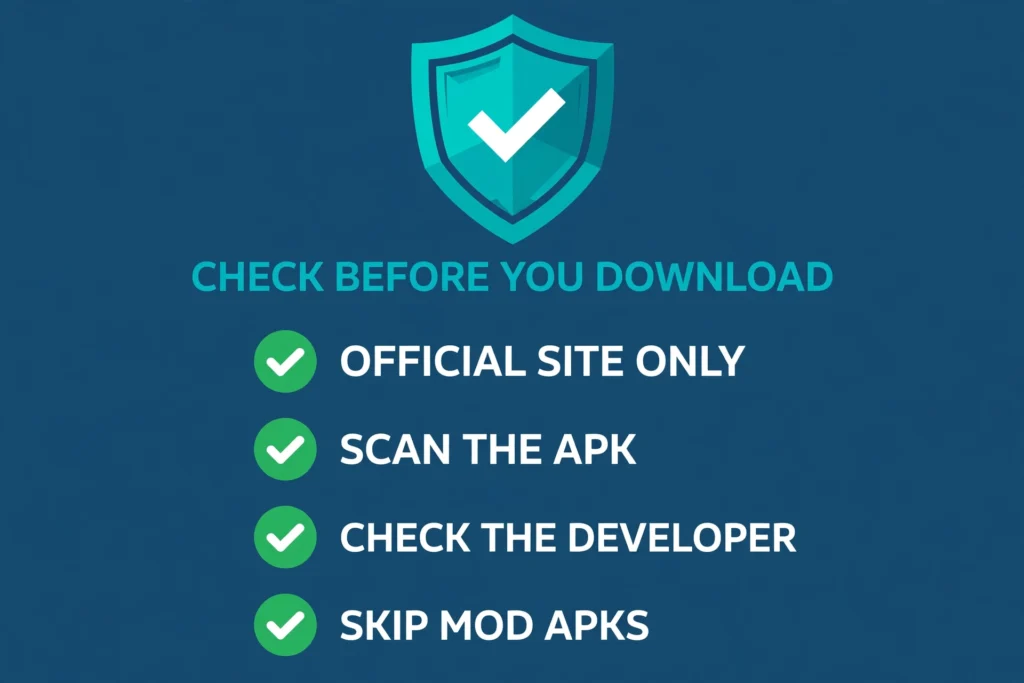
If you do decide to try the app, take these steps first:
- Download only from the official site, tikcotech.app. Never from a random APK mirror, and never a “Mod APK Premium” version.
- Scan the file before you install it. Use Google Play Protect or your phone’s built-in security scanner on the APK first.
- Grant only the permissions the app actually needs. A music player does not need your contacts. An emulator does not need your messages.
- Turn off “install from unknown sources” right after setup. Leaving it on is an open door for the next bad download.
- Back up your phone before you install. If anything goes wrong, you want a recent backup to fall back on.
- Keep the app updated. Newer versions patch security holes that older ones leave open.
How to Check Which Tikcotech You Are Looking At
This is the practical question, and it has a practical answer. Before you trust anything you read about Tikcotech, run these five checks:
- Check the domain. If you are on tikcotech.com reading articles about phone tips and app reviews, you are on the real blog. If you are on tikcotech.app looking at an APK download, you are looking at the app. If the domain is anything else and it claims to be Tikcotech, slow down.
- Check the app store. Search Google Play for the app. If it is not there, you are dealing with an APK — and every APK decision deserves the safety steps above.
- Check for a developer name. A real product has a named company, a real support channel, and a way to contact someone. “No developer listed anywhere” is itself an answer.
- Check whether the products can be bought. If an article describes hardware with prices and warranties but gives you no store, no checkout, and no shipping information, the products almost certainly do not exist.
- Check the site itself before you trust the review. If you are still not sure whether a website is safe, learn how to check whether a website is a scam before you download anything from it or hand over personal details.
Who Should Use It — and Who Should Wait
The blog is for anyone. It is free, it needs no account, and its tips are practical. If you want plain-language phone and app guides, tikcotech.com does that well.
The app is for Android users who are comfortable with APK sideloading and who understand the trade-off: one convenient toolbox, without app-store vetting or a named developer behind it. If that trade-off makes you uneasy, wait for an official store listing instead.
iPhone users should wait. The official site lists iOS requirements, but independent guides say the iPhone version is still launching soon, and Apple limits alternative iPhone app distribution to the European Union and Japan rather than the US. Until a live iPhone release replaces the “coming soon” notice, Android is the only straightforward path.
And if you came here looking for the enterprise platform — the Hub, the Fitband, the business automation suite — it is not real, and no amount of searching will make it real. You are better off looking at actual smart home and productivity brands instead.
Frequently Asked Questions
Is Tikcotech a real company?
Partly. The blog at tikcotech.com is real, and the app at tikcotech.app is a real download. But there is no verified company behind the app — no named developer, no company registration — and the “enterprise brand” with hardware products is not real at all.
Is Tikcotech on the Google Play Store?
No. No Tikcotech listing appears on Google Play. AppBrain, which mirrors Play Store listings, returns only similarly named apps. The app is distributed as an APK from its own site. Some review articles still give Play Store install steps, but those steps do not match what is actually there.
Is the Tikcotech app safe?
There is no simple yes or no. The official APK comes from the app’s own site, and some users report good experiences. But it has no app-store vetting, no named developer, and no independent security audit, and modified “Mod APK Premium” versions circulating online carry real malware risk. If you install it, use only the official site, scan the file first, and grant minimal permissions.
Is Tikcotech free?
The blog is free to read. The app is free to download from its official site, according to that site. Its FAQ says some premium features may require a subscription or a one-time purchase, so the free version may not include everything.
What is the difference between tikcotech.com and tikcotech.app?
Tikcotech.com is a tech-tips blog. It does not offer the app download. Tikcotech.app is the app’s official site, where you download the APK for Android. Same name, two different things.
What are Hub, Flow, Fitband, and Sync?
They are four products — a smart home controller, a productivity app, a fitness band, and a file-sharing platform — described in some articles about Tikcotech, with prices from $49 to $299. There is no evidence any of them exist. Nothing on the real tikcotech.com website mentions them, and there is nowhere to buy them.
Does Tikcotech work on iPhone?
Not clearly, not yet. The official site lists iOS requirements and a download button, but independent guides say the iPhone version is still “coming soon”. Until a live release appears, treat iPhone support as unconfirmed.
Bottom Line
Tikcotech is one name shared by three different things, and that is why searching for it is so confusing.
The blog is real. Tikcotech.com publishes free, plain-language tech tips in English and Spanish, and it is worth reading if that is what you were looking for.
The app is real too, but it comes with honest trade-offs: an all-in-one Android toolbox distributed as an APK, with no Play Store listing, no named developer, and no independent safety audit. Use it only from the official site, scan it first, and skip the modded versions entirely.
And the enterprise brand — the smart home hub, the fitness band, the business platform — does not exist. It is content-farm fiction, written to rank for a keyword. Once you know that, the search results stop being confusing, and you can use the two real versions of Tikcotech for what they actually are.