Quad Equalizer Explained: What the Four Bands Actually Do, and How to Use Them
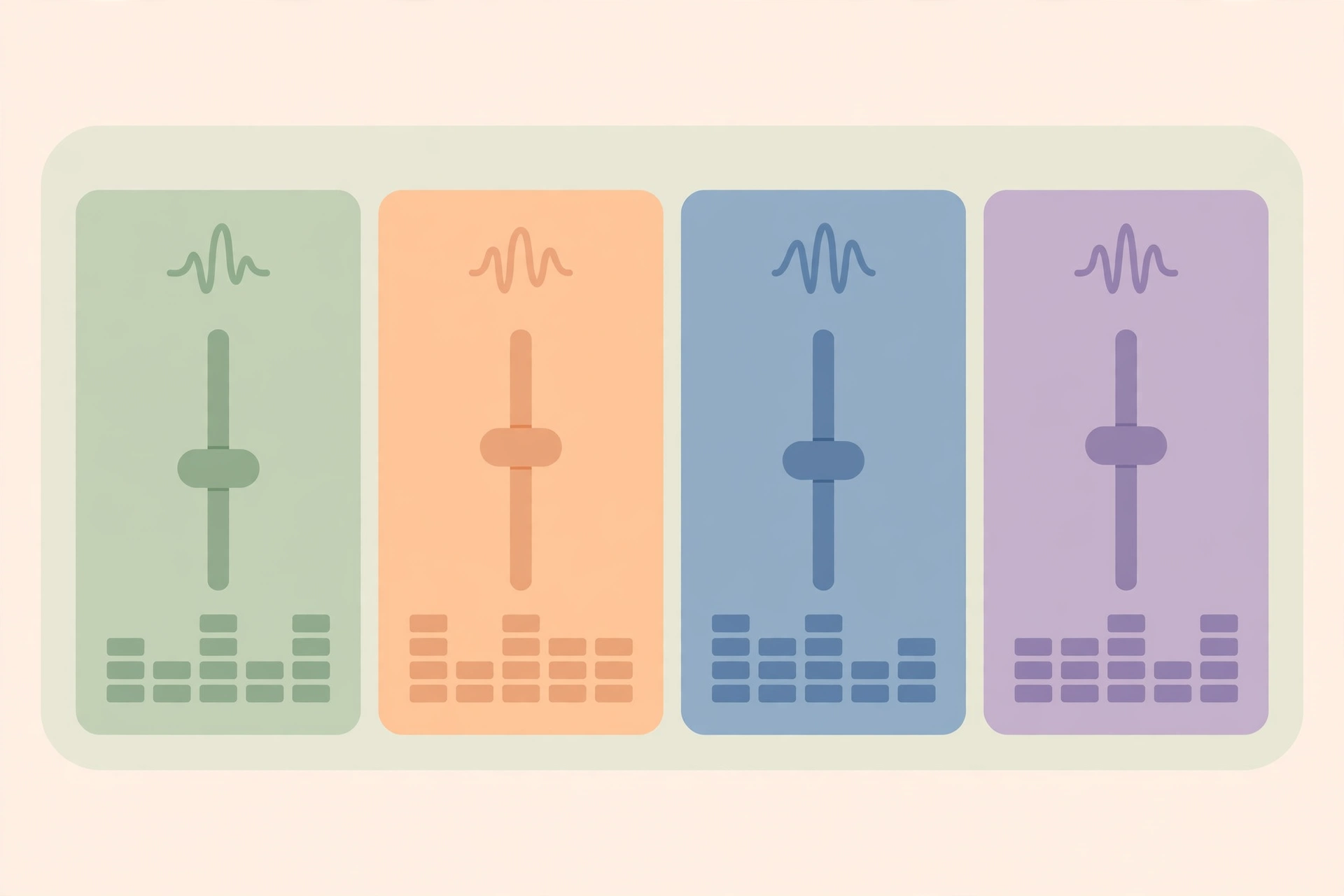
A quad equalizer is an audio tool that gives you four separate EQ bands for raising or lowering different parts of a sound. Each band works on its own slice of the frequency range, so you can change the weight, body, presence, or air in a recording without changing everything at once. The short answer is that “quad” tells you how many bands you get, not how much control each band gives you, and that second point is where most confusion starts.
| Part of the tool | What it means in plain terms | What to check before you use it |
|---|---|---|
| Four bands | Four sections for tone: low, low-mid, high-mid, and high | Whether the bands overlap, and whether their ranges are fixed or movable |
| Controls | Gain, frequency, and, on some designs, Q | Whether Q is adjustable, fixed, or missing entirely |
| Fixed four-band EQ | Four bands with set centre points | Useful for quick shaping, limited for fixing a narrow problem |
| Four-band parametric EQ | Four bands where you can move the centre point and, usually, change the width | The most flexible version for both shaping and repair |
| Electronics meaning | Four channels for correcting high-speed data signals, not sound | The context: if the discussion is about cables, backplanes, or data links, it is not an audio tool |
What Is a Quad Equalizer?
A quad equalizer is a four-band equalizer for audio, and each band lets you boost or cut a different region of the frequency range. It is a tone-shaping and problem-fixing tool, not a volume control for the whole track. The number four is the whole point of the name, and everything else depends on the design behind those four bands.
An equalizer is a tool that changes the balance between frequencies in a sound. A band is one section of the frequency range that an equalizer can raise or lower. In a quad equalizer, those four sections are usually labelled low, low-mid, high-mid, and high, and they are meant to cover the audible range together, with overlap between neighbours. That overlap matters, because a change in one band rarely affects only that band in isolation. It also explains why two quad equalizers can sound different even when their labels look the same: the exact split between bands is not standardised across manufacturers, so the low band on one unit may reach further into the mids than the low band on another.
The value of four bands is that you can make separate decisions about different jobs. A single bass and treble control forces you to treat a whole region as one thing, while four bands let you tidy a muddy lower midrange without thinning the deep low end, or add presence to a voice without making the whole top end harsh. That separation is why a four-band equalizer is common on mixing consoles, channel strips, and software EQs, where one tool has to handle both broad tone and smaller corrections.

Low, Low-Mid, High-Mid, and High Bands
The low band handles the foundation of a sound. It is where you feel weight, thump, and rumble, and where problems often show up as boom or a lack of definition. Too much low end can crowd a mix and make other instruments harder to hear, while too little can leave a recording sounding thin. The low band is therefore often used for clearing space as much as for adding power, and small changes here tend to have a large effect on how a whole mix feels.
The low-mid band handles body and fullness. It is the region where many instruments and voices get their warmth and size, and it is also where boxiness and muddiness tend to live. A voice or guitar that sounds hollow may need support here, while a track that sounds congested may need a careful cut in the same region. Because the low-mids sit close to both the lows and the higher mids, moves here can change how natural a sound feels, even when the change itself is modest.
The high-mid band handles presence, bite, and attack. It is the region that helps a voice or instrument cut through other sounds, and it is also the region that can turn nasal, honky, or harsh if pushed too far. A small lift here can make a vocal easier to follow, while a small cut can take the edge off a sound that feels aggressive. This band rewards listening in context, because a high-mid lift that sounds clear on a solo track can sound sharp once other instruments are playing.
The high band handles brightness, detail, and air. It is where shimmer, breath, and the sense of openness live, and it is also where sibilance and hiss become more obvious. A gentle lift here can make a recording feel more open, while too much can make it feel brittle. Because our ears are sensitive to this region, the high band is often best used with restraint, and a change that feels subtle in isolation can be enough in a finished mix.
Gain, Frequency, and Q
Gain is the amount by which a band boosts or cuts the frequencies it covers. Frequency is the centre point of the band, the place where the boost or cut has its strongest effect. Q is the width of the band, meaning how narrowly or broadly the boost or cut spreads around that centre point.
These three controls work as a set, and each one changes what the others do. Gain on its own tells you how much, but not where or how widely, so a large boost with a wide Q will change the overall tone, while the same boost with a narrow Q will affect a much smaller slice of sound. Frequency tells you where to aim, and on a fully parametric design you can move that centre point to the exact place a problem sits, rather than working with the nearest fixed point.
A useful comparison is a wide brush against a fine pen. A wide, low Q setting is better for general tone, such as warming a guitar or brightening a vocal, because it changes a region gradually and sounds more natural. A narrow, high Q setting is better for repair, such as reducing a ringing note or a harsh peak, because it leaves the sound around the problem mostly untouched. The trade-off is that a very narrow cut can sound unnatural if it is too deep, and a very wide boost can change more than you intended, so the safest habit is to start with a smaller move and a moderate width, then adjust only if the problem is still there.
Quad Equalizer vs Four-Band Parametric EQ
A quad equalizer and a four-band parametric equalizer are not always the same thing, because “four-band” counts the bands and “parametric” describes how much control you have over each band. A four-band parametric equalizer lets you adjust gain, frequency, and bandwidth for each band, while a fixed four-band equalizer gives you fewer choices. The distinction matters most when you need to fix a specific problem rather than shape the overall tone.
In a fixed design, each band has a set centre frequency, and sometimes a set width as well, so your main choice is how much to boost or cut at that point. That can be fast and musical for general shaping, and it is why fixed EQs remain common on simple mixers and guitar amplifiers. The limit appears when the problem is not sitting on one of those fixed points, because you may end up affecting neighbouring frequencies as well, which can make the fix sound less clean.
In a fully parametric design, you can move the centre frequency, choose the gain, and change the width, which gives you far more precision. A parametric EQ guide from iZotope explains that a fully parametric EQ allows you to adjust gain, frequency and bandwidth (Q), in contrast to a graphic EQ that only lets you adjust gain across fixed bands. That flexibility is what makes a parametric four-band EQ useful for both broad moves and surgical ones, and it is also why the same four-band label can hide very different tools. There is also a middle ground, often called semi-parametric, where you can move the frequency and change the gain, but the width is fixed by the manufacturer.
Fixed vs Adjustable Frequency and Bandwidth
Fixed frequency means the centre point of each band is decided by the manufacturer, so you work with the points you are given. Adjustable frequency means you can sweep that centre point across a range, so you can place a band exactly where a sound needs help. Fixed bandwidth means the width of the change is also decided for you, while adjustable bandwidth, or Q, lets you choose between a broad tonal move and a narrow correction.
The practical difference shows up in repair work. Suppose a recording has a harsh peak in the high-mids, but the fixed band nearest to it is centred a little higher or lower. A fixed EQ may force you to affect neighbouring frequencies as well, which can make the fix sound less clean. An adjustable EQ lets you centre the band on the peak and narrow the width, so the correction stays focused. For broad shaping, the difference is smaller, because you are not chasing a single point, and a fixed band can be perfectly adequate for warming a track or adding brightness.
Filter shape is part of the same story, even though it is not always shown as a separate control. Mid bands often use a bell shape, which rises or falls around a centre point and tapers off on either side, while low and high bands may use a shelf shape, which lifts or lowers everything beyond a chosen point and then levels off. A bell is better for targeting a region, and a shelf is better for changing the overall balance above or below a point. Knowing which shape each band uses helps you predict what a move will do, and it is another reason to check a specific unit rather than assuming all four-band EQs behave the same way.
Which Is Better When
A fixed four-band EQ is better when speed and simplicity matter more than precision. It suits quick live adjustments, simple recording setups, and broad tone shaping, where you want to reach for a familiar control and hear a predictable result. It also suits beginners, because there are fewer decisions to make, and fewer ways to make a sound worse with a narrow, deep cut in the wrong place.
A four-band parametric EQ is better when you need to solve a specific problem or work with more detail. It suits mixing and recording work where a resonance, a muddy region, or a harsh peak needs targeted attention, and where you want to shape tone without affecting nearby frequencies more than necessary. It also suits situations where the same tool has to do both jobs, because a parametric band can be set wide for shaping and narrow for repair, depending on the task.
The best choice is therefore not a single winner, but a match between the tool and the job. If you only ever make broad moves, a fixed design may be all you need, and a parametric design may add controls you rarely touch. If you regularly fix recordings, work with varied sources, or need to carve space between instruments, the extra control of a parametric design is worth learning. In either case, the number of bands alone does not tell you how capable an EQ is, and checking whether frequency and Q are adjustable will tell you more than the name on the front panel.
Quad Equalizer in Electronics: A Different Meaning
In electronics, a quad equalizer does not work on sound at all, and the word “quad” refers to four channels of high-speed data rather than four audio frequency bands. It is a signal-conditioning device that corrects data signals weakened by travelling over cables, traces, or backplanes. The shared name is the only real connection between the two uses, and the context around the term is what tells you which one is meant.
In audio, an equalizer changes tone by boosting or cutting frequencies in a sound you can hear. In high-speed electronics, an equalizer compensates for signal loss and distortion that build up as a digital signal travels, so that the receiving end can still read the data correctly. The goal is not to make something sound warmer or brighter, but to preserve the integrity of a stream of ones and zeros over a physical link that would otherwise degrade it. That is why datasheets for these devices talk about data rates, channels, and link reach, rather than bass, mids, and treble.
A concrete example helps to separate the two worlds. Semtech’s GN2402 is described as a device that provides four channels of high-speed data equalization, retiming, and output de-emphasis for 10GbE backplane and linecard applications. Each of those four channels is a separate data path, not a frequency band for music, and the equalization is about recovering a clean digital signal after transmission losses. If you see terms such as backplane, linecard, serial link, or data rate alongside “quad equalizer”, you are looking at this electronics meaning, not an audio tool. The confusion is understandable, because both uses borrow the same idea of correcting something degraded in transit, but the signal, the controls, and the outcome are entirely different.
Practical Settings and Common Mistakes
Practical equalizer work starts with listening before touching a control, and it works best when changes are small, made in context, and checked against the original sound. A quad equalizer is most useful when you know what problem you are solving, whether that is muddiness, harshness, a lack of clarity, or a sound that does not sit well with other instruments. Without a clear problem, it is easy to keep adjusting until the sound is different but not better.
A sensible workflow is to start with all bands flat, meaning no boost or cut, and listen to the source on its own and then with the other sounds it will sit alongside. Solo listening can reveal a problem, but it can also mislead you, because a sound that seems dull alone may be exactly right once other instruments are playing. Make one change at a time, listen to the effect, and compare it with the unprocessed sound by bypassing the EQ. If you cannot hear a clear improvement, undo the change rather than adding another one on top of it.
Starting Approach for Voice, Music, and Podcast
For voice, the usual starting point is clarity and intelligibility, not dramatic tone changes. That often means tidying the low-mids if the voice sounds boxy, and being careful with the high-mids and highs, where presence lives but harshness and sibilance also appear. Small, broad moves tend to sound more natural for voice than deep, narrow ones, unless you are removing a specific resonance. The goal is a voice that is easy to follow without sounding thin, nasal, or exaggerated.
For music, the starting point depends on the instrument and its role, but the same principle applies: fix what is getting in the way, then shape what needs emphasis. A bass-heavy instrument may need space cleared in the lows so it does not crowd the kick, while a melodic instrument may need a little presence in the high-mids to be heard clearly. It helps to think in terms of roles rather than instruments in isolation, because two sounds that occupy the same region will compete, and a cut in one can be more effective than a boost in the other.
For a podcast, the starting point is consistency and listener comfort over a long listen. That usually means a clean low end without rumble, a natural midrange for speech, and a top end that is clear without being sharp or sibilant. Because podcast listeners often use headphones, earbuds, or car speakers, it is worth checking the result on more than one playback system before settling on settings. A setting that sounds full on studio monitors can sound boomy in a car, and a setting that sounds crisp on headphones can sound harsh on a small speaker.
Use broad moves for tone and narrow moves for repair, and keep the two jobs separate in your mind. A broad, gentle lift or cut is a good way to warm a sound, brighten a sound, or make it sit better in a mix, while a narrow cut is a good way to remove a ring, a resonance, or a harsh peak. If you find yourself making many large boosts, step back and ask whether the source, the microphone position, or the arrangement is the real problem, because EQ can improve a recording but cannot fully rescue a poor source. Check your work in context and at a sensible listening level, and take breaks when your ears tire, because loud listening makes everything sound more impressive, and tired ears make poor decisions.
Mistakes That Harm Sound
One of the most common mistakes is boosting everything. If every band is lifted, the overall level rises but the balance does not improve, and the sound can become loud, harsh, and fatiguing. A better habit is to cut what is in excess and boost only where a sound genuinely needs support, because cuts often create clarity without adding level or noise.
Another common mistake is making decisions only in solo. A track that sounds perfect on its own can disappear or clash once other instruments are added, and a track that sounds slightly dull alone can be exactly right in a mix. The mix, not the solo button, is the final test, and EQ choices should be checked there before they are treated as finished.
A third mistake is using a narrow, deep cut or boost without a clear target. Narrow moves are powerful, and they can fix a specific problem, but they can also create an unnatural dip or peak that draws attention to itself. If you are not sure where the problem is, a broader, smaller move is safer, and sweeping a narrow boost to find a problem should be done briefly and at a modest level, not as a permanent setting.
A fourth mistake is stacking many large moves on the same sound, often across several plugins or units, without checking the combined effect. Each move may seem reasonable on its own, but together they can thin a sound, make it harsh, or remove its character. Bypassing the whole EQ chain and comparing it with the original is a quick way to catch this, and it often reveals that fewer, smaller moves would have done the job better. Finally, it is a mistake to treat EQ as a substitute for a good source, a good microphone position, or a good arrangement, because EQ cannot add detail that was never captured.
FAQs
These are the questions people ask most often about a quad equalizer, and the answers below follow the same definitions used in the rest of this guide. Each answer is kept short on purpose, so you can use it as a quick check before you change a setting.
Is a quad equalizer a volume control?
No, a quad equalizer is not a volume control, although it can change how loud a sound feels. A volume control raises or lowers the whole sound by the same amount, while a quad equalizer raises or lowers selected frequency regions, which changes tone and balance rather than overall level alone. That is why an EQ move can make a sound clearer or muddier without changing its fader position, and why the output level may need a small adjustment after a large EQ change.
Can a quad equalizer separate vocals from instruments?
No, a quad equalizer cannot separate vocals from instruments that are already mixed together in the same recording. It can only change the balance between frequencies that are already present, so it can make a vocal a little easier to hear by emphasising the region where the voice sits, or by reducing a competing region in another sound. True separation would require the original separate tracks, or a specialised separation tool, and EQ alone cannot recover a vocal that is baked into a finished mix.
What is the difference between a fixed and a parametric four-band EQ?
The difference is how much control you have over each band, not how many bands you have. A fixed four-band EQ gives you set centre points and, often, a set width, so you mainly choose how much to boost or cut at those points. A four-band parametric EQ lets you move the centre frequency and, usually, change the width as well, so you can target a specific problem more precisely. A semi-parametric design sits between the two, with movable frequency but a fixed width, and checking which version you have will tell you what kind of correction is actually possible.
Bottom Line
A quad equalizer is best understood as four chances to shape a sound, not as a single tone control and not as a magic fix for a poor recording. Its strength is the separation it gives you between weight, body, presence, and air, and its limit is that it can only work with the frequencies already in the source. Used with small, deliberate moves, it can clean up muddiness, add clarity, and help instruments sit together without drawing attention to itself.
The choice between a fixed and a parametric version comes down to the work you actually do. A fixed four-band EQ is enough for quick, broad shaping, while a parametric four-band EQ is worth learning if you regularly need to fix specific problems or carve space between sounds. Either way, the number of bands is only the starting point, and the real question is whether you can move the centre point and change the width when you need to.
If you remember one habit from this guide, make it listening in context and comparing with the original sound. That habit will prevent most of the mistakes that make EQ work sound worse, from boosting everything to fixing a solo track that was already right in the mix. Start flat, solve one problem at a time, and let the sound, rather than the number of controls, decide when you are finished.