HRMS Globex: What It Is, How to Log In, and What Is Actually Verified
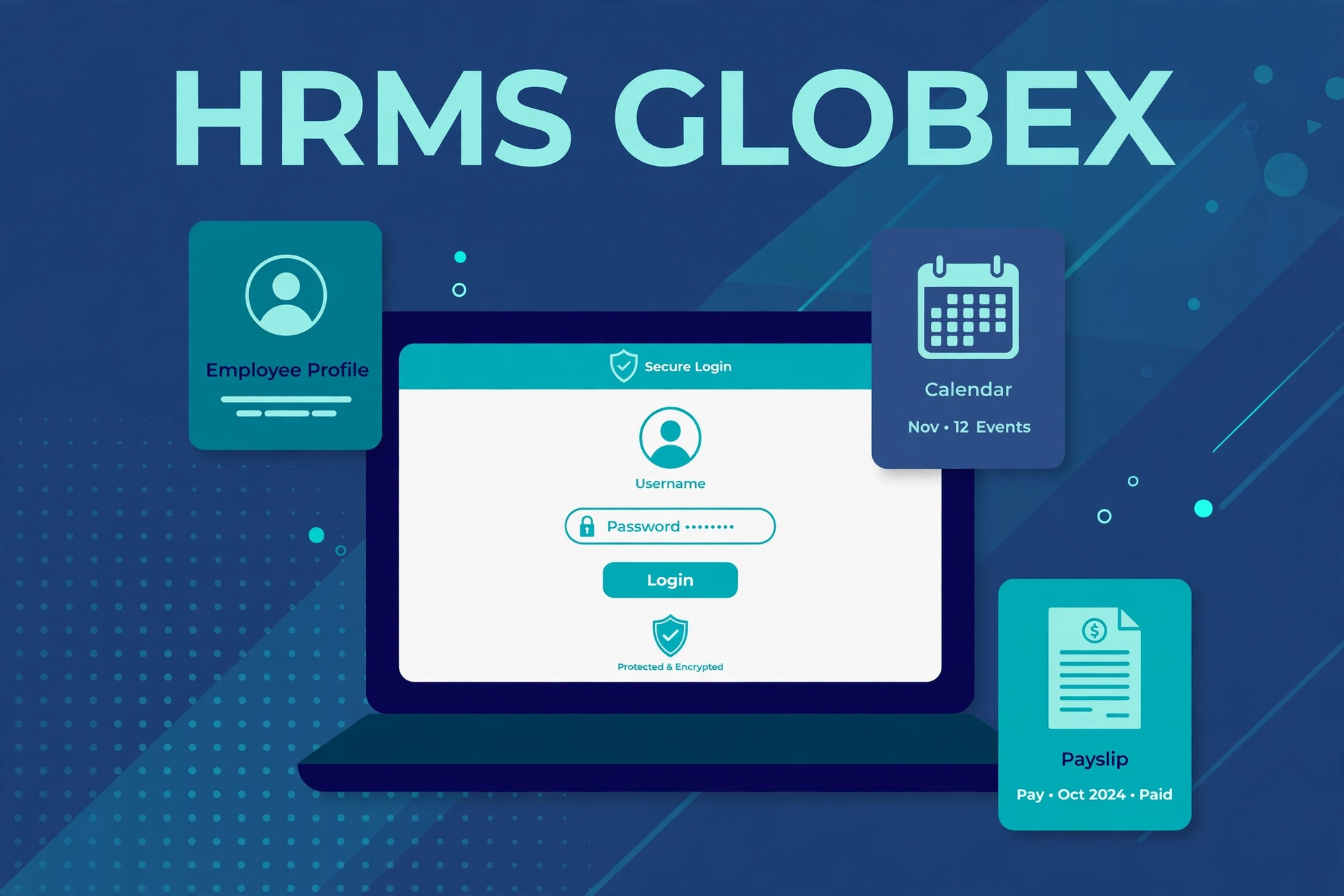
HRMS Globex is the name people use for an employee HR portal at hrms.theglobex.com. If your employer has told you to use it, you sign in there with the username and password your company gave you, and you use it for everyday HR tasks like checking your attendance, applying for leave, and downloading your salary slip.
That is the simple version. The complicated version is that a lot of what you will read about HRMS Globex online is not verified. Dozens of articles describe it as a full all-in-one HR platform with payroll, recruitment, performance management, a mobile app, and tiered pricing. Almost none of that can be confirmed from public pages, because everything behind the login screen is private. This guide separates what is actually verified from what is only claimed, so you know what you are dealing with before you type your password anywhere.
The Short Answer
- HRMS Globex is most clearly an employer-managed HR portal at hrms.theglobex.com/Web/Default.aspx. The public page shows a login form with username, password, and CAPTCHA fields, plus a “Forgot password?” link.
- You cannot register yourself. Accounts are created by your employer’s HR or IT team, and your login details are issued to you when you join.
- There is no public pricing page and no public sign-up. Price figures quoted in articles conflict with each other, and none of them is confirmed by an official source.
- A separate website, hrmsglobex.com, uses the same name and describes an all-in-one HR platform. No public evidence shows it operates the hrms.theglobex.com login portal, so treat the two as separate.
- A third lookalike, hrms.globcom.om, belongs to a different company in Oman and has nothing to do with Globex.
- The safest login link is the one your employer gives you. Never log in through a link from a search result, an ad, or a random message.
What Is HRMS Globex?
HRMS stands for Human Resource Management System. It is software that employers use to keep employee records, attendance, leave, payroll, and performance information in one place, instead of spreading them across spreadsheets, paper files, and email chains.
HRMS Globex is the name attached to a web-based HR portal at hrms.theglobex.com. The portal is the one thing about it that is publicly visible and easy to confirm. When this page was opened for this article, it showed a login screen titled “HRMS” with fields for a user name and password, a CAPTCHA code to type in, and a “Forgot password?” link. It also showed small social media icons for Facebook, Twitter, Instagram, and LinkedIn. That is all the public page reveals. It does not show a feature list, a dashboard, or any menus, because those only appear after you sign in.
That matters, because it means nobody outside the organisations using the portal can see what is actually inside it. The exact modules your account shows depend on your employer and your role. An ordinary employee may see leave, attendance, and payslips. A manager may also see approval tools for their team. HR staff may see administrative controls that nobody else gets. If your screen looks different from a coworker’s, that is usually a permissions difference, not a fault.
The company or operator behind the portal is not publicly stated on the login page, and no official “about” page for the portal was found. Some guides call the developer “The Globex Corporation,” but that is not independently confirmed by any official source we could check.
The Three Websites People Mix Up
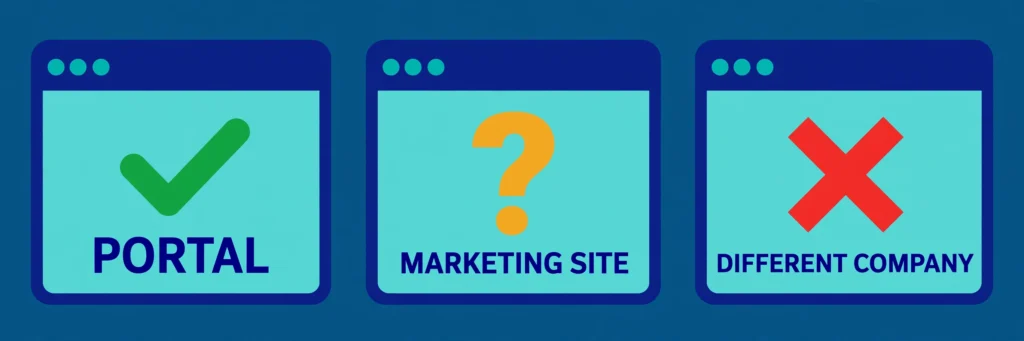
The biggest source of confusion around HRMS Globex is that three similar addresses exist, and people treat them as one thing. They are not.
| Address | What it actually is | What is confirmed |
|---|---|---|
| hrms.theglobex.com | The employee login portal. The public page shows username, password, and CAPTCHA fields. | The page exists and was opened for this article. Who operates it is not publicly stated. |
| hrmsglobex.com | A separate WordPress marketing site that describes an all-in-one HR platform covering employee records, payroll, attendance, leave, performance, and recruitment. | It is a different website with different content. No public evidence links it to the login portal. |
| hrms.globcom.om | A login page for a different company’s HR system in Oman. | It is a separate company’s portal. No public evidence links it to Globex. |
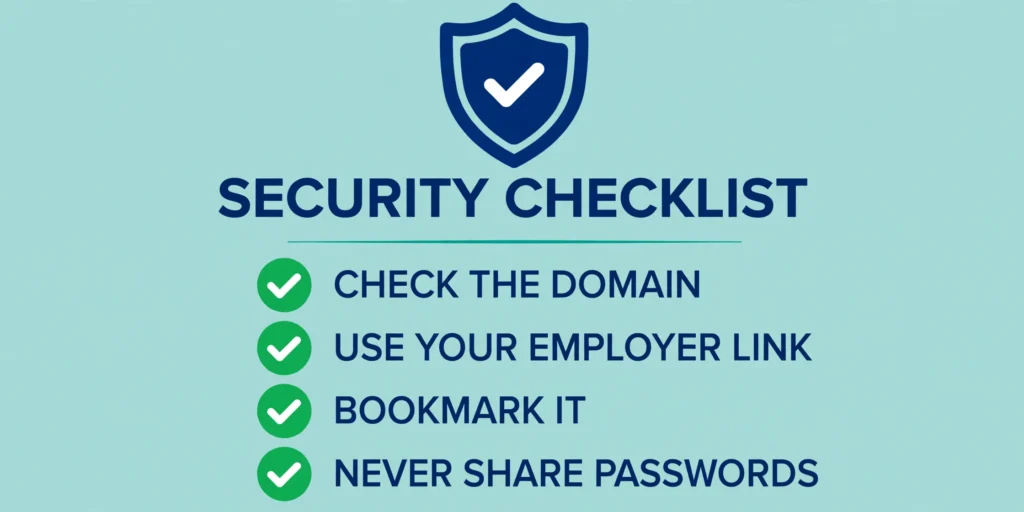
Why does this matter? Because an HR portal holds sensitive information: your personal details, your salary, your tax records, and your leave history. A fake login page that copies the design of a real one can be used to steal employee credentials. If you type your username and password into the wrong site, the damage is done before anyone notices. So before you log in, check the domain letter by letter, and use the exact link your employer gave you. If the address in your browser does not match the one in your onboarding documents or HR email, stop and ask HR or IT.
What Is Actually Verified — and What Is Not
Because so many articles present guesses as facts, here is the honest split.
Verified or directly observed:
- The login page at hrms.theglobex.com/Web/Default.aspx exists. It asks for a username, a password, and a CAPTCHA, and it has a “Forgot password?” link. This was checked by opening the page directly.
- There is no public registration or sign-up. Multiple guides agree that accounts are created by the employer’s HR or IT team, and the login page itself offers no way to create an account.
- No public pricing exists. No official price list or pricing page was found.
- The operator of the portal is not publicly named on the login page.
- Older performance-management and appraisal documents connected with the portal domain exist, one from 2018 and one from 2021, which suggests performance reviews are one of the real functions associated with the system. This was reported by an independent verification review of the portal.
- hrmsglobex.com is a separate site with different content. Its homepage describes an HR platform, and according to another guide it lists a Bengaluru address and contact details. Nothing on it publicly establishes that it runs the hrms.theglobex.com portal.
Claimed by third-party guides, but not publicly confirmed:
- The full module list: payroll, attendance, leave, recruitment, performance, employee self-service, training, compliance, and analytics. These are standard HRMS features, and guides describe them in detail, but they are not visible on any public page of the portal itself.
- Pricing. One guide says basic plans start around $3 per employee per month. Another quotes ₹1,499 per month for companies with 50 or fewer employees. A third describes Basic, Mid-tier, and Enterprise tiers with a 14 to 30 day free trial. These figures disagree with each other, and none of them comes from an official price list.
- A mobile app for Android and iOS. Some guides say one exists, with leave applications, payslip downloads, and GPS attendance. No app store listing was publicly confirmed, so treat this as unverified.
- A founding story. One article says HRMS Globex was created in 2015 by a team of industry experts. No source is given for that date.
- Efficiency statistics. One guide cites research claiming up to 30% improved HR efficiency and a 25% reduction in payroll errors. Those numbers are not traced to a published study.
- Security certifications and specific encryption claims. Guides mention encryption, role-based access, and multi-factor authentication, but the portal has no public security page that confirms any of this.
None of this means the claims are false. It means you should not treat them as facts, and you should not make a buying decision based on them.
How to Log In to HRMS Globex
If your employer has given you access, the login process is straightforward. Use the exact link your HR or IT team provided, not a link from a search result.
- Open your browser and go to the portal address your employer gave you, normally hrms.theglobex.com/Web/Default.aspx.
- Enter your username. This is usually your employee ID or your registered email address, exactly as your employer issued it.
- Enter your password. Passwords are case-sensitive, so check Caps Lock before you type.
- Type in the CAPTCHA code shown on the screen. If the code is hard to read, use the refresh option on the login page to get a new one.
- Complete any extra verification step if your organisation has enabled it, such as a one-time code sent to your registered mobile number or email.
- Click the login or sign-in button. You should land on your personal dashboard, showing only the modules your role is allowed to see.
If the login fails, work through the obvious causes first: a mistyped username or password, Caps Lock left on, an unreadable CAPTCHA, or an expired password. Try the password recovery option on the login page. If your account may be locked after several failed attempts, wait a while or contact your HR or IT team, who can check whether the account is active and reset it from their side. Never install a third-party “HRMS login tool” or browser extension to fix a login problem.
How to Reset Your Password
The login page includes a “Forgot password?” link. According to the guides that describe the process, the reset works like this:
- Click “Forgot password?” on the login page.
- Enter your employee code in the field provided.
- Click the send or submit button.
- A password reset link is sent to your registered email address.
- Open the email and click the reset link.
- Set a new strong password and confirm it, then log in with the new password.
If the reset email does not arrive within a few minutes, check your spam folder, and confirm with HR that the email address on your record is correct. If the reset still does not work, contact your HR or IT team through a channel you already trust, such as your company’s email directory or helpdesk number. Real IT staff can reset your credentials without asking for your existing password. Never share your password or a reset code with anyone who contacts you first.
How to Download Your Salary Slip
Downloading a payslip is one of the most used features of any HR portal, and the guides describe the same basic steps for HRMS Globex. These steps are reported by third-party guides, not confirmed on a public page, so your exact menu labels may differ slightly.
- Log in to the portal with your username and password.
- Open the main menu and go to the Payroll or Salary section.
- Find the Salary Slip option, which usually shows a month and year selector.
- Select the month and year you need.
- Click View to preview the slip on screen.
- Click Download PDF to save it to your device.
It is worth downloading and saving your salary slips every month. Banks, lenders, and visa authorities commonly ask for the last 6 to 12 months of payslips, and you should not assume old ones will always be available in the portal. The guides describe a payslip that lists your employee details, basic pay, allowances such as house rent allowance, overtime, tax deductions, provident fund and insurance contributions, and your net salary. These are the payroll components the guides describe; your own slip will reflect your employer’s pay structure.
The Modules Guides Say HRMS Globex Has
Every guide lists roughly the same set of modules. Because they sit behind the login screen, treat this as a description of what the guides report, not a confirmed feature list.
- Employee information management. A central digital profile for each employee: personal details, job history, qualifications, bank details, and documents. Changes made in one place are reflected across the other modules.
- Payroll management. Salary calculation, tax computation, deductions, bonuses, arrears, and payslip generation. The guides describe support for different tax rules across regions and direct salary transfer to bank accounts.
- Attendance and time tracking. Biometric devices, GPS-based marking for field staff, mobile clock-in, shift management, holiday calendars, and overtime tracking, according to the guides.
- Leave management. Employees apply online by choosing a leave type and dates, the request goes to the reporting manager, and the leave balance updates when it is approved. One hands-on review walks through the same flow and says the whole application takes about two minutes. Common leave types the guides list include earned leave, casual leave, sick leave, maternity and paternity leave, compensatory off, and half-day leave.
- Recruitment and onboarding. Job postings, a candidate pipeline, interview scheduling, offer letters, and a digital onboarding checklist for new joiners.
- Performance management. Goal setting, progress tracking, 360-degree feedback, mid-cycle reviews, and year-end appraisals. Older performance and appraisal documents on the portal’s domain, from 2018 and 2021, suggest this is a genuine part of the system.
- Employee self-service (ESS). The employee-facing side: download payslips, check leave balances, update personal details, submit requests, and view company announcements without contacting HR.
- Manager self-service (MSS). Extra tools for managers: approve or reject leave and attendance corrections, view team attendance, and review appraisals for direct reports.
- Training and development. Training programs, enrolment, completion tracking, and certificates, as described by the guides.
- Benefits administration. Health insurance, retirement funds, and other benefit plans, with enrolment through the portal.
- Compliance management. Labour law and tax updates, audit trails, and statutory reports such as provident fund and tax returns.
- Analytics and reporting. Workforce, payroll, attendance, and performance reports, plus custom reports. Some guides also claim AI-driven predictions for attrition and hiring needs, which is not confirmed.
If you are an employee, the modules you actually see are the ones your employer has enabled for your role. If a module described in an article is missing from your dashboard, ask HR or IT whether your access is configured for it, rather than assuming the article was wrong or the system is broken.
What Does HRMS Globex Cost?
There is no public answer to this question, and that is itself the answer. No official price list was found, and the figures in circulation contradict each other.
One beginner’s guide says basic plans start around $3 per employee per month. A review quotes ₹1,499 per month for companies with 50 or fewer employees. A detailed guide describes three tiers — Basic, Mid-tier, and Enterprise — with a free trial of 14 to 30 days and custom pricing for organisations with more than 200 employees. None of these sources shows where its numbers came from.
If you are an employee, the cost does not concern you directly. Your employer provides the portal, and there is nothing for you to buy. If you are an employer comparing HR software, do not choose based on a price quoted in a third-party article. Get a written quote from the vendor, ask exactly which modules and how many employees it covers, and compare it with established alternatives. One review compares HRMS Globex with Zoho People, Keka, and GreytHR, all of which publish their own pricing and feature lists, which makes them easier to evaluate honestly.
Is HRMS Globex Safe? How to Check the Login Page Is Real
No public security page for the portal was found, so its security cannot be confirmed from public sources. What you can control is your own behaviour when you log in.
- Check the exact domain, letter by letter, before typing anything. The real portal is hrms.theglobex.com. Watch for lookalikes such as hrmsglobex.com or hrms.globcom.om.
- A padlock in the address bar only means the connection is encrypted. It does not mean the site is legitimate.
- Only use the login link your employer gave you. Do not use links from ads, emails, text messages, or third-party articles.
- Bookmark the confirmed link once you have it, and use the bookmark every time.
- Be suspicious of urgent messages claiming your account will be locked today. That is a common pressure tactic in phishing.
- Never share your password, employee code, or a one-time code with anyone who contacts you first.
- Turn on multi-factor authentication if your employer offers it.
If you want a fuller method for judging an unfamiliar login page, read our guide on how to check whether a website is a scam. The same checks apply here: verify the domain, look for the signs of a copied page, and never enter credentials on a page you reached through an unexpected link. If you think you typed your password into a page you now doubt, change the password immediately, tell your IT team, and watch your accounts for strange activity. Suspected scams can be reported to the FTC at reportfraud.ftc.gov.
Login Problems and Quick Fixes
| Problem | Likely cause | What to do |
|---|---|---|
| Wrong username or password | Mistyped credentials or Caps Lock on | Re-enter carefully, check Caps Lock, then use “Forgot password?” |
| CAPTCHA keeps failing | Hard-to-read code, browser zoom, or cached data | Refresh the CAPTCHA, reload the page, or try another browser |
| Account locked | Too many failed login attempts | Wait, then contact HR or IT to unlock it |
| Portal not loading | Browser or connection problem | Refresh, check your connection, clear cache, or try incognito mode |
| Password reset email missing | Email in spam, or wrong address on record | Check spam, then ask HR to verify your registered email |
| Salary slip not showing | Payroll not yet processed for that month | Wait a few working days after payday, then check again |
| Leave balance looks wrong | Data not updated, or wrong leave type selected | Contact HR to verify your balance |
| Module not visible after login | Role access not configured for your account | Ask your IT administrator to check your permissions |
| Attendance not recorded | Biometric failure or GPS issue | Submit an attendance regularisation request through the portal |
Who Should Use HRMS Globex — and Who Should Not
Employees of an organisation that uses it. If your employer told you to use HRMS Globex, use the link they gave you, keep your credentials private, and use the self-service portal for payslips, leave, and attendance. That is what it is for.
HR and payroll teams in those organisations. The portal is where routine employee requests land, so knowing the leave, attendance, and payslip flows saves time for everyone.
Employers shopping for HR software. Be careful. HRMS Globex looks like an employer’s own system rather than a product you can buy off the shelf. If you are evaluating HR software, start from official sources and published pricing, compare several platforms, and ask the vendor directly what is included. Do not decide based on third-party articles that cannot show where their feature and price claims came from.
Anyone who found it through a search and has no employer connection. There is nothing here for you to sign up for. If a site asks you to register or pay for HRMS Globex access, treat it with suspicion and verify it through an official channel first.
Frequently Asked Questions
What is HRMS Globex?
HRMS Globex is the name people use for an employer HR portal at hrms.theglobex.com. HRMS stands for Human Resource Management System. Authorised employees sign in to it for HR tasks such as attendance, leave, and payslips. The operator of the portal is not publicly stated.
What is the official HRMS Globex login link?
The portal is at hrms.theglobex.com/Web/Default.aspx. The safest link, though, is the one your employer gave you in your onboarding documents or HR email. Use that one, and bookmark it.
Can I register myself on HRMS Globex?
No. Self-registration is not available. Employee accounts are created by the employer’s HR or IT team during onboarding, and your employee ID and login credentials are issued to you when you join.
How do I reset my HRMS Globex password?
Click “Forgot password?” on the login page, enter your employee code, and a reset link is sent to your registered email address. If that does not work, contact your HR or IT team through a channel you already trust.
Is hrmsglobex.com the same as hrms.theglobex.com?
No public evidence shows they are the same. hrmsglobex.com is a separate marketing website that describes an all-in-one HR platform, while hrms.theglobex.com is the employee login portal. Treat them as separate until an official source says otherwise.
How much does HRMS Globex cost?
No public pricing exists. Articles quote conflicting figures, from around $3 per employee per month to ₹1,499 per month for small companies, and none of them is confirmed. If you are an employee, your employer provides the portal and there is nothing for you to buy.
Is there an HRMS Globex mobile app?
That is not publicly confirmed. Some guides say an app exists for Android and iOS, but no app store listing was found. Be careful with APK files or apps that claim to provide HRMS Globex access. If your organisation has an official app, HR or IT should provide the correct store link.
Is HRMS Globex safe?
Its security cannot be confirmed from public sources, because the portal has no public security page. Protect yourself by checking the exact domain before logging in, using only your employer’s link, never sharing your password or codes, and reporting anything suspicious to your IT team.
Bottom Line
HRMS Globex is, at its core, an employer HR portal at hrms.theglobex.com. Employees sign in with credentials their company issues, and use it for the everyday HR tasks that used to run on paper and spreadsheets. That much is verified, because the login page itself is public and was checked directly.
Almost everything else you will read about it — the full list of modules, the prices, the mobile app, the founding story, the efficiency numbers — comes from third-party guides and cannot be confirmed from any public source. Some of it may be accurate. Some of it is generic HR software talk dressed up as fact. Until an official source publishes it, treat it as a claim, not a fact.
So use the portal the way it is meant to be used: through your employer’s link, with your own credentials, for your own HR tasks. And if you are choosing HR software for a company, judge HRMS Globex the way you would judge any vendor — on official documentation and a written quote, not on what a dozen lookalike articles say about it.
🌐 Explore More Digital & Financial Insights
If you found this guide helpful for managing your corporate workflow, you might also want to explore our other deeply researched articles on modern business platforms, market trends, and strategic digital resources.
Discover how digital transformation and crypto innovations are redefining the freelancing landscape in our guide on Exploring Coyyn.com Gig Economy. If you love wandering the world, uncover authentic, user-generated travel guides and hidden gems from global explorers at Goodmooddotcom.com Travel Archives. Similarly, you can plan your next budget-friendly or luxury escape using real-world traveler diaries featured on the Mega-personal.net Travel Resource.
For tech and gaming enthusiasts, we have a deep dive into web-based gaming platforms, serverless deployment, and interactive tech trends in Exploring Games on Vercel.app. Financial trading is also shifting fast, so learn how high-speed execution tools are modernizing online forex, crypto, and stock trading at MyFastBroker.com Trading Overview. If you want to build your passive income stream, don’t miss our expert research on dividend and 3D printing stocks at 5StarsStocks.com Investment Gateway.
Beyond markets, digital health tools are also changing lives; explore telemedicine benefits and coping strategies for complex conditions with DoctorHub360.com Healthcare Solutions. If you are looking for alternative financing, understand the pros and cons of online personal loans and credit networks via Traceloans.com Funding Options. To manage your earnings, we provide step-by-step guidance on setting up activation codes to simplify taxes using InstallTurboTax.net Software Activation.
Finally, for professional growth, check out our clear analysis of career planning, professional development, and workplace culture trends in What OnlyWorkMoods Publishes. To start your financial path correctly, utilize the ultimate beginner’s pathway to navigating the market and building initial portfolios through Invest1now.com Stock Strategy.