SoundCloud to MP3: What It Really Means, and the Legal Ways to Listen Offline
When people search for “soundcloud to mp3”, they usually want one simple thing: a track they love, saved as a file they can play anywhere, even without internet. SoundCloud does not work quite like that, and understanding why will save you time, money, and trouble.
The Short Answer
SoundCloud to MP3 means turning a SoundCloud track into a portable MP3 file, but there is no universal, official way to do it for every track. The only clear, legal route to a real file is when the artist or uploader has enabled the official Download button on that track.
SoundCloud Go+ gives you offline listening, but that is not the same as an MP3. Its offline tracks are encrypted, stay inside the SoundCloud app, and stop working if you cancel or log out. If a track has no Download button, a missing button is the artist’s choice, not a technical problem for you to work around.
This soundcloud to mp3 guide explains the official options, the quality and safety traps in third-party converter claims, and what to do instead when the track you want is not downloadable.
What Does SoundCloud to MP3 Actually Mean?
SoundCloud is mainly a streaming platform. Artists upload music, listeners stream it, and most tracks are meant to be played inside SoundCloud, not taken out as files.
So “soundcloud to mp3” can mean three different things, and mixing them up causes most of the confusion:
- A real file from the artist: the artist enabled downloads, so you get the file they uploaded, often an MP3, sometimes WAV or another format.
- In-app offline listening: you save a track inside the SoundCloud app with Go+, so you can listen without internet, but you do not get a portable file.
- A third-party conversion: an outside website or tool takes the streamed audio and makes an MP3 from it. This is where legality, quality, and safety problems appear.
Only the first one gives you a true, portable MP3 with the artist’s permission built in. The second is useful, but it is not an MP3. The third may look convenient, but it should never be treated as permission.
Method 1: The Official Download Button (The Only Clear Legal File)
This is the method to check first, every time. It is free, it is supported by SoundCloud and the artist, and it gives you the original uploaded file.
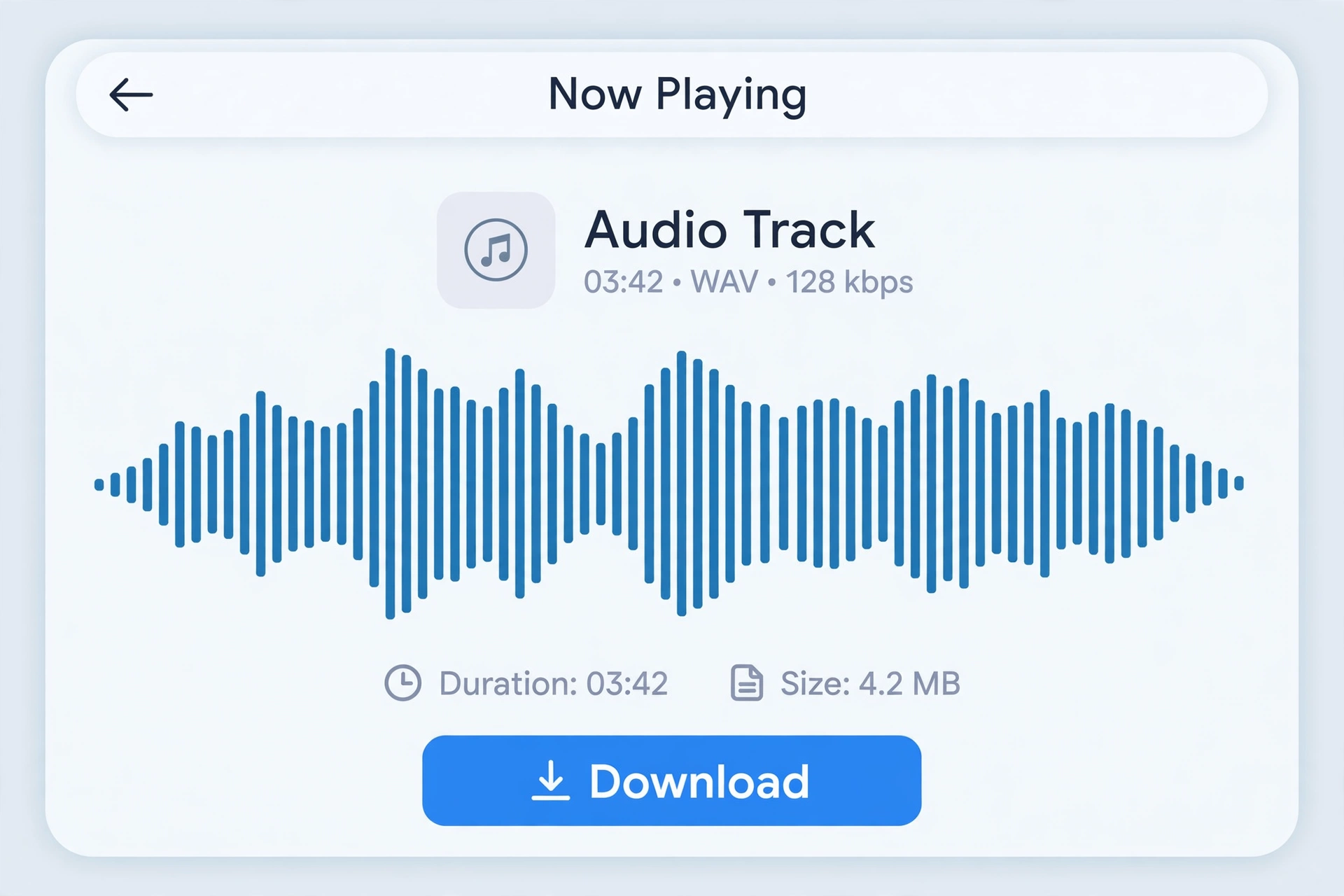
On the web, sign in to SoundCloud, open the track, and look below the waveform for a Download file option, often in the More menu. If that button is there, the artist has chosen to let listeners download that track. One click gives you the file.
If the button is not there, that track is streaming-only. That is especially common for major-label releases, premium tracks, and tracks where the artist wants to control distribution. Free accounts also limit artists to a set number of downloads per track, so even a willing artist can hit a limit.
What kind of file will you get?
It depends entirely on what the artist uploaded. It could be a high-quality MP3, a WAV, or a lower-quality file. The Download button does not upgrade the audio. It gives you the artist’s original file, which is actually a good thing: it is the cleanest version you are going to get legally.
Your own tracks and Creative Commons tracks
Two cases are straightforward:
- Your own uploads: if you uploaded the track, you can download your own work.
- Creative Commons tracks: some artists release music under a Creative Commons licence that allows downloading and, depending on the licence, reuse. Always check the exact licence on the track page. A Creative Commons label is not a blanket permission to do anything you want with the track.
When in doubt, the rule is simple: permission must be visible. A Download button, a purchase link, or a clear licence is permission. A track simply being playable is not.
Method 2: SoundCloud Go+ Offline Listening (Not an MP3)
For soundcloud to mp3 offline listening, SoundCloud Go+ is the paid subscription that includes offline listening, ad-free playback, and access to the full catalogue. It is the cleanest way to listen without a signal, but it is important to understand its limits.
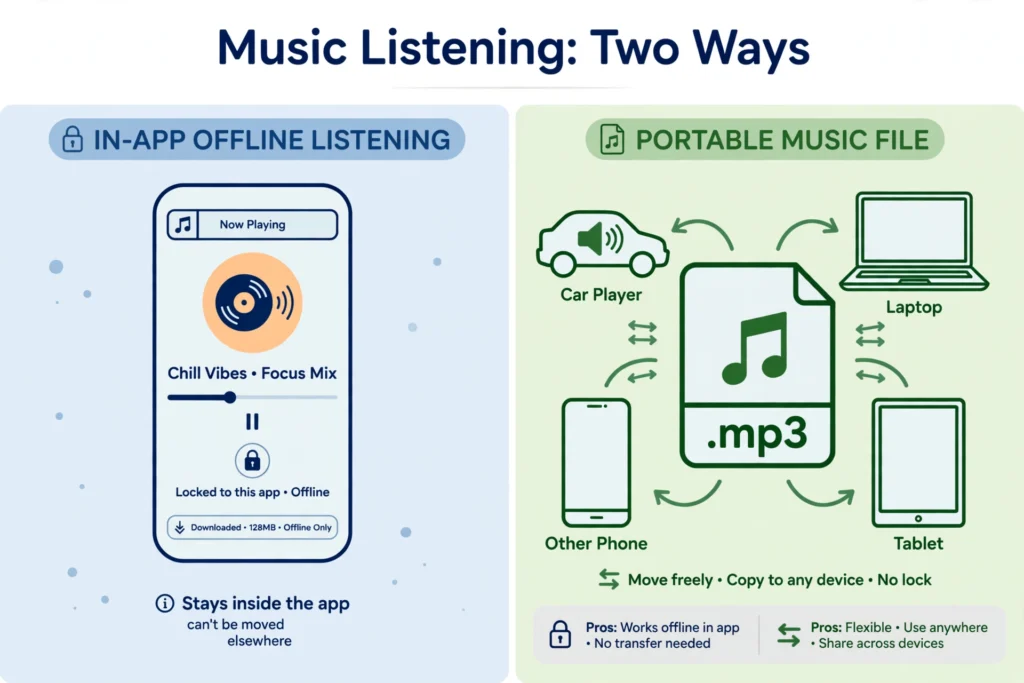
When you save a track for offline listening in the Go+ app, SoundCloud does not hand you an MP3. It creates an encrypted cache, commonly described as 256kbps AAC, that only the SoundCloud app can read. That means:
- The offline track works inside the SoundCloud app only.
- You cannot move it to another player, another phone, or a USB drive.
- If you log out, uninstall the app, or cancel your subscription, the offline library stops working.
- On desktop web, there is no equivalent official offline mode. Offline listening is a mobile app feature.
So Go+ answers the question “how do I listen without internet?” very well. It does not answer “how do I get an MP3 file?” at all. If a site or seller claims Go+ gives you MP3s, that claim is wrong.
Pricing and exact features change by region and over time, so check SoundCloud’s current Go+ page before subscribing. Do not rely on an old blog post for the price.
Why Most SoundCloud Tracks Have No MP3 Option
This frustrates listeners, but from the artist’s side it makes sense. A streaming-only track protects the artist’s control over distribution, royalties, and releases. Many artists also release the same track for sale elsewhere, on Bandcamp, iTunes, Beatport, or their own store, where buying it gives you a proper file and supports them directly.
Other reasons a track may not be downloadable include:
- The track is part of a premium or licensed catalogue.
- The artist enabled downloads, but the download limit for that track has been reached.
- The artist changed their mind and turned downloads off.
- The track was removed, made private, or the account was deleted.
None of these mean the track is broken. They mean the artist has not offered a file for that track at that time.
The Quality Myth: No Converter Can Create Quality That Is Not There
One of the biggest traps in soundcloud to mp3 converter claims is quality. Free-tier SoundCloud streams are commonly compressed to around 128kbps. A converter site may offer you a “320kbps” button, but it cannot add detail that was never in the stream. It can only re-encode the same compressed audio into a larger file, which sounds the same or slightly worse, not better.
The official Download button avoids this problem because it gives you the artist’s original upload, not a re-encoded stream. That is another reason to prefer it whenever it is available.
If sound quality matters to you for soundcloud to mp3, the better route is usually to buy the track from the artist’s own store or a licensed music store, where you get a proper high-quality file and the artist gets paid.
Safety Risks of Third-Party Converter Sites
This article does not recommend third-party converter sites, and it does not give steps for using them to take tracks without permission. That is deliberate: beyond the copyright problem, these sites carry practical risks that competing guides often downplay.
Watch out for:
- Aggressive ads and pop-ups: free converter sites are often funded by ads, and some redirect to unrelated or sketchy domains.
- Fake download buttons: a page may show several download buttons, only one of which is the real file, if any.
- “Helper” software: never install an extension, app, or .exe file just because a converter site tells you to. A real MP3 should download directly through your browser.
- Malware and phishing: a site asking you to sign in with your SoundCloud, Google, or email password to “convert” a track is a red flag.
- Terms of Service problems: using a third-party tool to copy a track the artist did not make downloadable can violate SoundCloud’s Terms of Service, even if you only listen to it yourself.
If a site looks unfamiliar, the same caution applies as with any unfamiliar website. Tech2Explore’s guide on how to check an unfamiliar website before you trust it walks through reading trust signals, checking ownership, and spotting missing policy details before you trust a page with your device or your account.
What to Do When the Track You Want Is Not Downloadable
You still have good, legal soundcloud to mp3 options:
- Use Go+ offline listening inside the app for flights, commutes, and low-signal areas.
- Buy the track from the artist’s store or a licensed store, if it is sold there.
- Ask the artist through SoundCloud, social media, or their website whether a download or purchase link exists. Independent artists often respond, and many will point you to a free download.
- Make a playlist in SoundCloud so the track is easy to find again, even if you cannot save it as a file.
- Check for a Creative Commons version or a free download the artist posted elsewhere, and respect the licence attached to it.
What you should not do is treat a missing Download button as a challenge to bypass. The artist’s choice is part of how they earn from and control their work.
Frequently Asked Questions
Can I convert any SoundCloud track to MP3?
No. Only tracks where you have permission, meaning your own uploads, tracks with a visible official Download button, or tracks under a licence that allows it. A track being playable does not mean it is downloadable.
Is SoundCloud to MP3 legal?
It is legal when the artist or uploader has enabled downloads, when you own the track, or when the licence allows it. Copying a streaming-only track without permission can violate copyright and SoundCloud’s Terms of Service.
Does SoundCloud Go+ give me MP3 files?
No. Go+ gives you offline listening inside the SoundCloud app only. The offline files are encrypted and cannot be moved to other players or devices.
Why is there no Download button on my favourite track?
Because the artist has not enabled downloads for that track, the download limit has been reached, or the track is part of a premium or licensed catalogue. Check for a purchase link or ask the artist.
Will a converter give me 320kbps quality?
Not from a standard free-tier stream. The stream itself is compressed, and re-encoding it at a higher bitrate does not restore lost detail. The official Download button, when available, gives you the artist’s original file instead.
Are free converter sites safe?
Many are not. Aggressive ads, fake download buttons, unwanted software offers, and phishing attempts are common risks. Never install helper software or enter your account password on an unfamiliar converter site.
What is the safest way to listen offline?
For in-app listening, SoundCloud Go+ is the official route. For a portable file, use the official Download button when it is available, or buy the track from the artist or a licensed store.
Bottom Line
SoundCloud to MP3 is not one button that works for every track. It is a question with a permission check built in.
If the artist enabled downloads, use the official Download button and enjoy the original file. If you want offline listening across the whole catalogue, Go+ does that inside the app, but it does not give you an MP3. If neither is available, buy the track, ask the artist, or keep it in a playlist.
That approach is slower than a converter site promises to be, but it keeps you on the right side of copyright, it gives you better quality, and it actually supports the artists whose music you want to keep.